Remote Notarisation Accessibility: Who It Helps and How to Prepare
By Jeremy Arhab, Founder · Published 31 October 2026 · Updated 31 October 2026
How online notarisation by video removes travel, mobility and timing barriers, what to prepare for accessibility needs, and how multiple signers can take part.
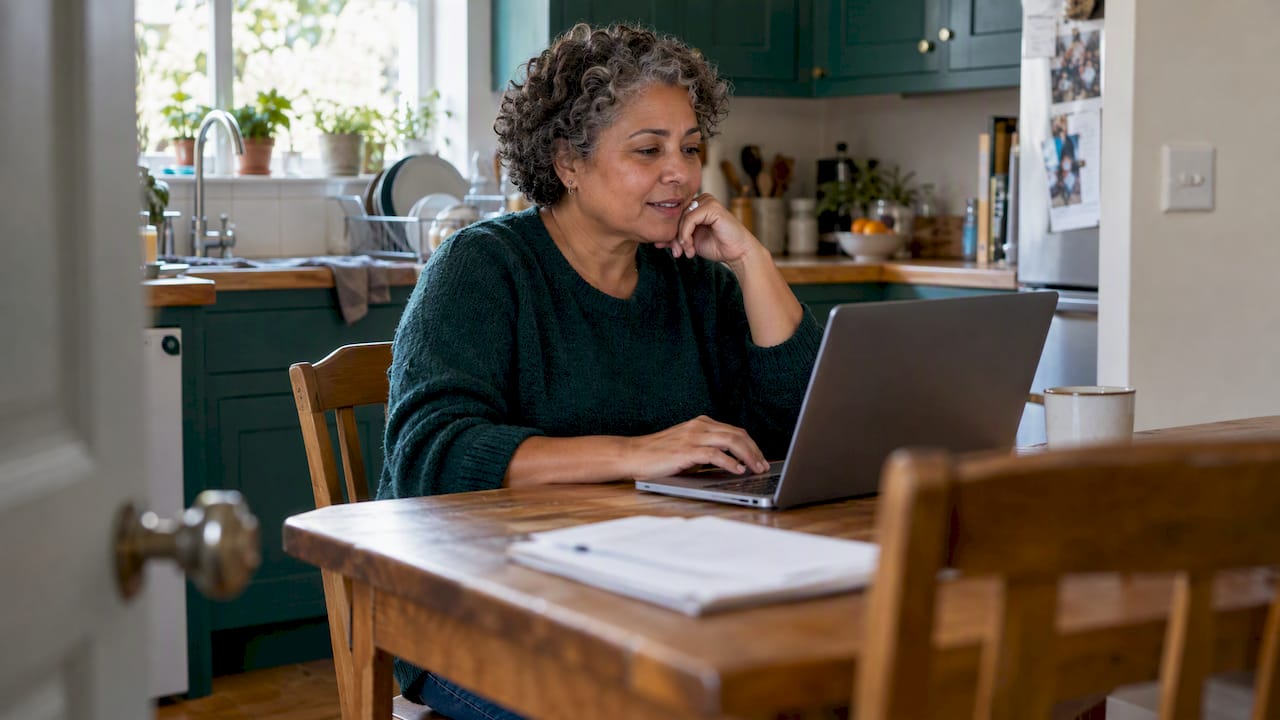
Remote notarisation makes notarial services reachable for people who struggle to attend an office: those with limited mobility, caring duties, unusual working hours, or a home far from the nearest notary. You upload your document, verify your identity by passport, and meet a commissioned notary on a video call. No travel and no waiting room are involved. This guide explains who benefits most, what to prepare if you have communication or access needs, how several signers in different places can complete one document, and where accessibility has limits.
MyNotary is an online notarisation platform. We are not a notary practice, and we do not decide whether an organisation will accept a document. We describe how our process works so you can judge whether it suits you.
TL;DR
- Online notarisation replaces an office visit with a video call, so travel, stairs, parking and opening hours stop being obstacles.
- You need a passport, a device with a camera and microphone, a stable connection and an unsigned document.
- If you have a hearing, vision, speech or cognitive need, tell us before the session so the call can be arranged around you.
- Several signers in different places can take part in the same document, each verified separately.
- Always ask the receiving organisation whether it accepts a remotely notarised document before you book.
Table of Contents
- What accessibility means for notarisation
- Who benefits most from remote notarisation
- How an online notarisation session works
- Preparing for your session if you have access needs
- What the law says about reasonable adjustments
- Several signers in different places
- Where remote notarisation has limits
- After notarisation: apostille and translation
- Our perspective on accessibility
- Book an online notarisation
- FAQ
- Sources
What accessibility means for notarisation
Traditional notarisation asks you to be in a particular room at a particular time. That sounds simple until you list what it requires: a journey, a building with step free access, time off work, someone to look after children or a relative, and often several days of waiting for an appointment.
Accessibility here covers four separate barriers:
- Physical: distance, stairs, public transport, fatigue, pain, or being housebound.
- Time: shift work, caring duties, time zones for people living abroad.
- Communication: hearing, vision, speech or cognitive needs that make an unfamiliar office difficult.
- Geography: living in a rural area, or abroad, with no easy way to reach a notary in person.
A video session removes the first, second and fourth barriers almost entirely. The third depends on how well the call is set up, which is why the preparation section below matters.
Who benefits most from remote notarisation
Some groups gain more than others. The following are the situations we see most often among people who need documents notarised.
People with limited mobility or long term health conditions
For someone who finds travel tiring or painful, a home session is the difference between getting a document done and putting it off. You stay in a space you control, with your own seating, medication and support person nearby.
Parents and carers
Parents arranging child travel consent cannot always leave children or a dependent relative for an afternoon. A call from home can fit around school runs and care routines. Separated parents living in different towns, or different countries, can each complete their part without meeting.
Expats and people living abroad
British nationals overseas often need a document notarised for a visa, a property matter or a bank. A local notary may be hours away, or may work in a language and format that is unfamiliar. A video session lets you deal with the same service from wherever you are. Check the receiving organisation's requirements first, because rules differ by country and by purpose.
Freelancers and business owners
People who manage international contracts rarely have a free weekday morning. Online sessions remove commuting time, and our average turnaround is about one hour for a notarised document.
Older people and grandparents
Grandparents travelling with grandchildren may need paperwork at short notice. A video call is often easier than arranging transport to an office, provided a relative helps with the technology on the day.
How an online notarisation session works
The steps are the same whatever your circumstances. Knowing them in advance helps you plan any adjustments.
- Choose your document type. Pick the service that matches your document, such as an affidavit, a certified true copy, a power of attorney or a statutory declaration. The full list is on our services page.
- Upload the document unsigned. Do not sign it beforehand. The signature is made during the session, in front of the notary.
- Verify your identity. You present your passport and complete a biometric check. Our article on KYC for notarisation explains the two checks behind the video ID.
- Join the video call. A commissioned notary meets you by video. The session is recorded.
- Sign and receive the document. After the notary is satisfied, the document is signed and sealed. Delivery is the same day in most cases, as a digital copy, with a physical copy available where you need one.
The notary's role is to confirm who you are, that you are signing willingly, and that the signature is yours. The recording and audit trail are part of the record of that session.
Preparing for your session if you have access needs
You do not need to explain a diagnosis. You only need to tell us what would make the call workable. The sections below set out common needs and sensible preparation.
Hearing or speech needs
A video call is a good fit when you rely on lip reading or facial expression, because the notary's face is visible and you can ask them to speak slowly. Use a quiet room and headphones if they help. If you use a sign language interpreter or a communication support worker, tell us beforehand so they can join the call. Written chat during the session can supplement speech, but confirm in advance how you want to communicate.
Vision needs
Use a screen reader or magnification as you normally would, and ask the notary to read key passages aloud before you sign. If a document is not in a readable format, tell us before the session so we can look at the options. A trusted person can sit with you, although the notary will still need to see and speak with you directly.
Cognitive, neurodivergent or anxiety related needs
Some people find an unfamiliar office stressful. At home, you can choose the time of day, have familiar surroundings and take your time. Read the document in advance, write down questions, and ask the notary to pause or repeat anything. A notary must be satisfied that you understand what you are signing, so allow extra time rather than rushing.
Technology confidence
Not everyone is comfortable with cameras and uploads. A relative or friend can help set up the device and test the connection, then step away while you speak to the notary. Test your camera, microphone and passport scan beforehand, in good light.
A practical checklist
- A valid passport.
- A phone, tablet or computer with a working camera and microphone.
- A stable internet connection, ideally tested the day before.
- A quiet, well lit space.
- The document in its final, unsigned form.
- Headphones, a screen reader or an interpreter if you use them.
- Any questions written down.
What the law says about reasonable adjustments
The Equality Act 2010 requires many service providers to take steps to avoid putting disabled people at a substantial disadvantage. This can include providing information in an accessible format or providing an auxiliary aid, as set out in section 20 of the Equality Act 2010. If you need a different format or support, you are entitled to ask, and the sooner you do, the easier it is to arrange.
We write this as a general explanation, not legal advice. If you believe you have been refused a reasonable adjustment by any organisation, an advice service such as Citizens Advice can explain your options.
Several signers in different places
Accessibility is not only about one person. Many documents need more than one signature: a family property matter, a shareholder resolution, a declaration by two parents, or a business document signed by directors in different cities.
In the traditional approach, everyone has to travel to the same place on the same day. That is often impossible when signers live in different countries or have different mobility and working patterns.
Online notarisation handles this in a straightforward way:
- Each signer verifies their identity separately, with their own passport.
- Each signer joins from their own location and device.
- The document sits in one place, so everyone signs the same version.
- Every step is recorded in an audit trail.
Our platform supports multi signatory documents for both business and family use. In practice, the main planning point is scheduling: agree a time that works across time zones, and make sure every signer has completed the identity step before the call. If one signer has an access need, tell us about it in advance so their part of the session is arranged properly.
Some organisations set their own rules about who must sign, in what order, or whether each signature must be notarised in the same session. Ask the receiving organisation for its exact wording before you start.
Where remote notarisation has limits
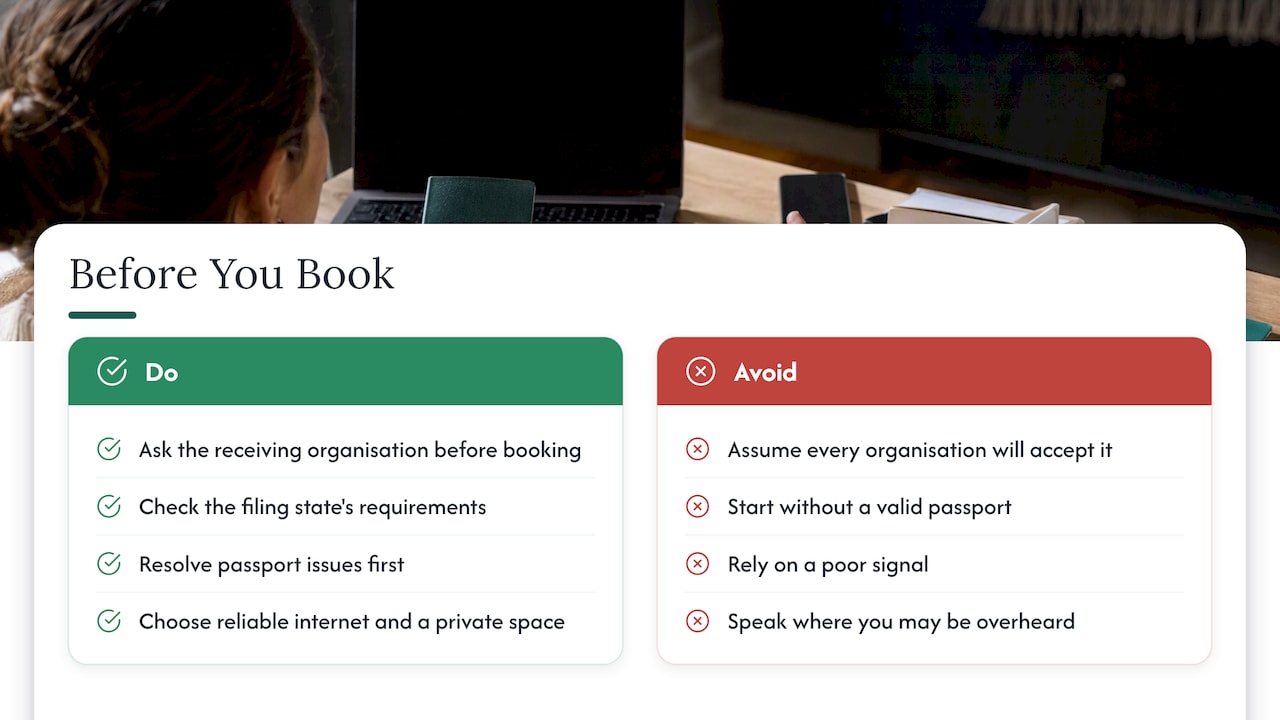
Online notarisation is not the right route for every situation. Being honest about this protects you from wasted time.
Acceptance depends on the receiving organisation. We cannot promise that any authority, bank, embassy or court will accept a document. Some require an in person act, or a specific format. Ask before you book. Our guide on 4 checks to confirm an online notarisation is accepted sets out what to ask and in what order.
Some destinations are more flexible than others. The US Embassy in London notes that a growing number of US states accept online notarisation, and advises checking whether the particular state where a document will be filed does. See its notarial services page for its current position.
Identity checks can be a barrier. The process relies on a passport. If you do not hold one, or yours has expired, you will need to resolve that first.
Connection problems. A poor signal can interrupt a call. Choose a location with reliable internet, and keep a mobile hotspot as a backup.
Privacy at home. If you share your home, find a space where you can speak without being overheard, because the notary needs to be sure you are acting freely.
After notarisation: apostille and translation
Many people who need a notarised document for use abroad also need an apostille. An apostille is a certificate that confirms the authenticity of a public document for use in another country that belongs to the Hague Convention. The Hague Conference on Private International Law describes the Convention as replacing a lengthy legalisation chain with a single certificate, and says an e-Apostille cannot be refused simply because it is electronic.
Whether you need an apostille depends on the country where the document will be used. If it is a non Convention country, additional steps may apply. Our guides on the UK apostille process and on e-Apostille explain the options, and the article on translation, notary and apostille in one place helps if the receiving country needs a certified translation as well.
The same accessibility principle applies. Fewer separate suppliers means fewer appointments, fewer journeys and fewer forms to manage.
Our perspective on accessibility
We built MyNotary because notarisation is often treated as a small task that turns out to be a large one. For a person with limited mobility, a caring role or a busy schedule, a single appointment can take half a day or more. The need for the document does not shrink because the process is inconvenient.
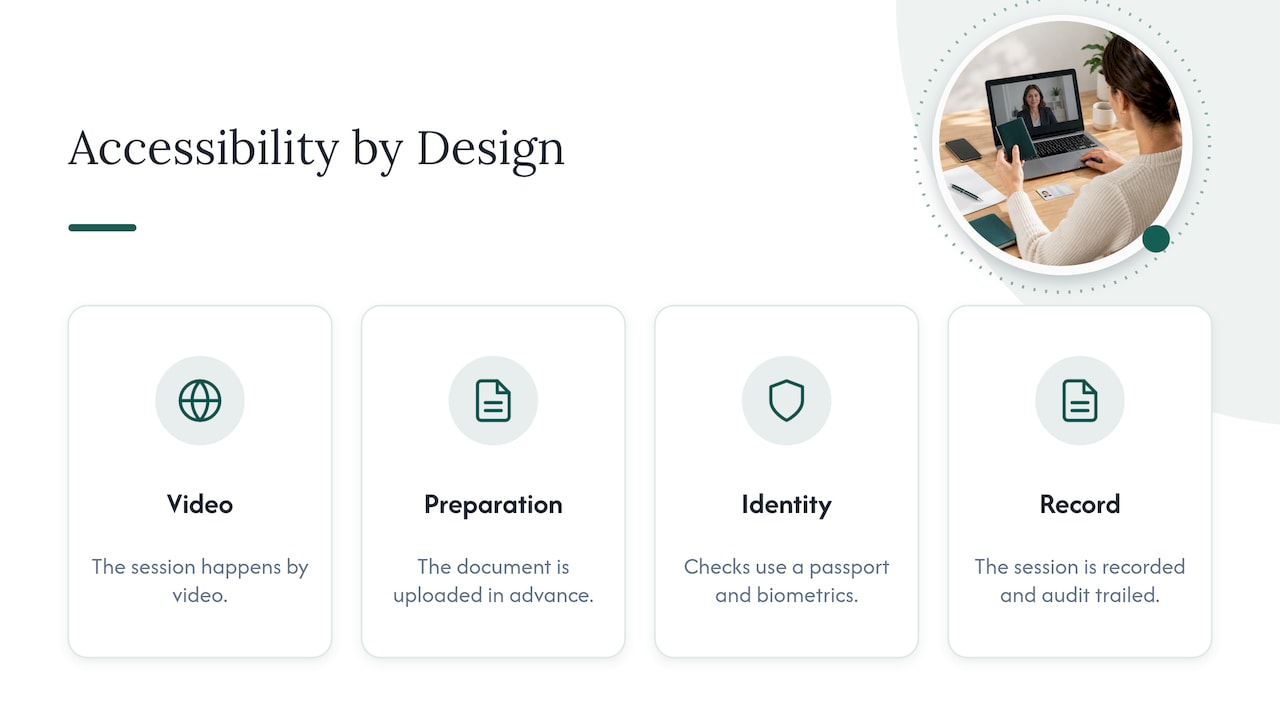
We think accessibility is not a feature added at the end. It follows from a few design choices: the session happens by video, the document is prepared and uploaded in advance, identity checks use a passport and biometrics rather than an office visit, and the whole session is recorded and audit trailed. Each choice removes a reason for someone to be excluded.
We also think accessibility depends on honesty. We tell you what the process requires, we ask you to check acceptance with the receiving organisation, and we invite you to contact us before booking if you have a particular need. A short message beforehand is better than a difficult call.
— Jérémy
Book an online notarisation
If you are ready to start, MyNotary lets you upload your document, verify your identity and meet a commissioned notary by video, with same day delivery in most cases. Our services page lists every document type, from affidavits and powers of attorney to certified copies and child travel consent.
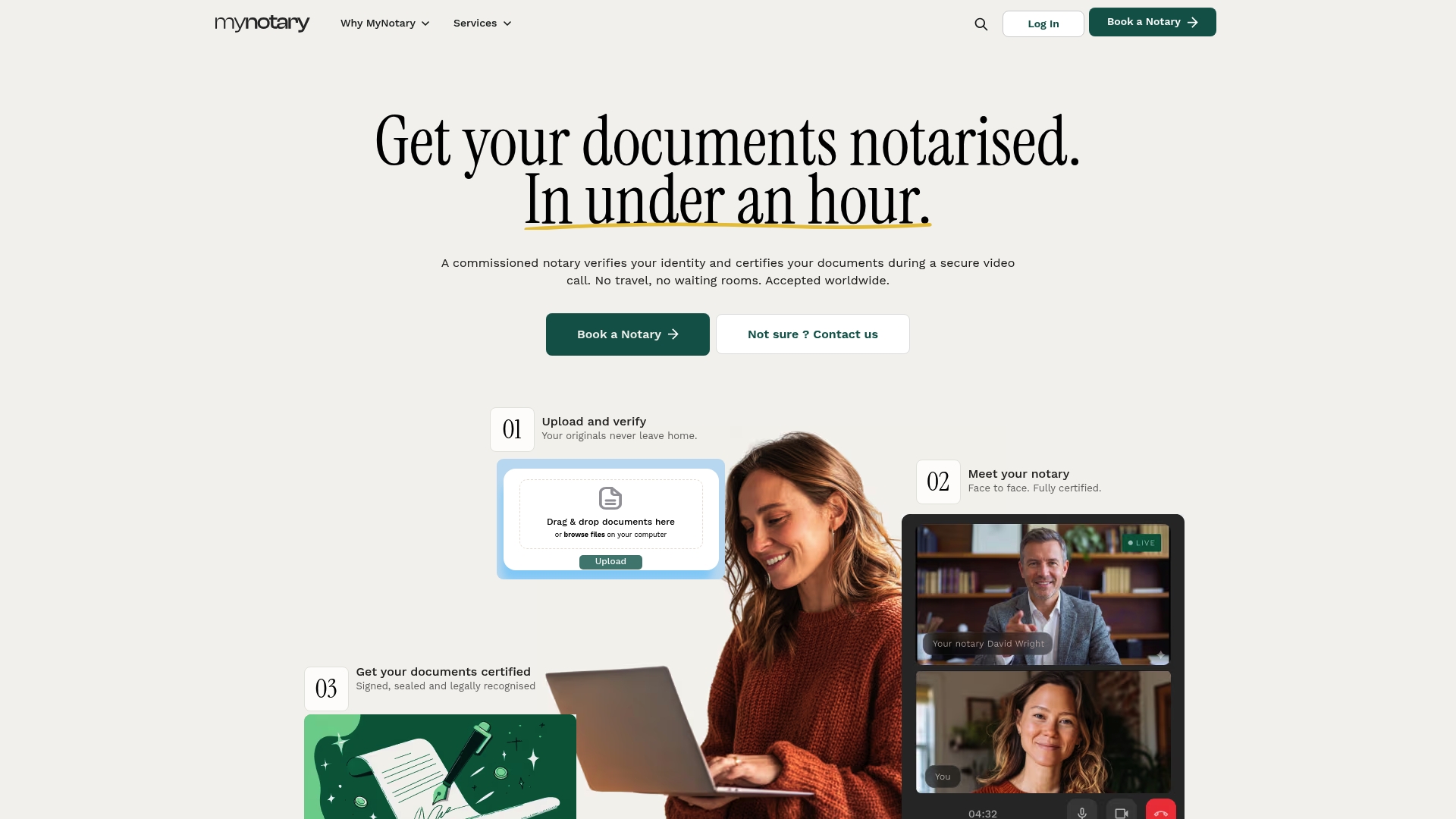
If you need an adjustment, such as an interpreter joining the call or extra time, contact us before you book. For signature only needs, see signature notarisation online. For a closer look at the process from start to finish, read our guide to same day video notarisation.
FAQ
Is remote notarisation accessible for deaf or hard of hearing people?
It can be. A video call lets you see the notary's face, and you can arrange an interpreter or communication support worker to join. Tell us before the session so the format is agreed in advance. Written chat can support the conversation if you prefer.
Can someone help me during the session?
Yes, a helper can support you with technology or communication. The notary still needs to speak with you directly and be satisfied that you understand the document and are signing freely. A helper should not answer on your behalf.
What if I do not have a passport?
Our identity check relies on a passport, so you would need one before booking. If yours has expired, renew it first. If you are unsure whether another document would be suitable, contact us before you pay.
Can two people in different countries sign the same document?
Yes. Each signer verifies their identity and joins from their own location, and the document is signed in one shared process with an audit trail. Check the receiving organisation's rules on order of signing and format first.
Will my document be accepted abroad?
We cannot promise acceptance, because each organisation sets its own rules. Ask the receiving body whether it accepts a document notarised by video, and whether it needs an apostille or a translation. Then book with that answer in hand.
Sources
- Equality Act 2010, section 20
- US Embassy and Consulates in the United Kingdom, notarial services
- HCCH Apostille Section
Recommended
Got questions? We’re on it.
Most questions are answered here, drawn from what people actually ask before booking. If yours isn’t, our team is in chat.
It can be. A video call lets you see the notary's face, and you can arrange an interpreter or communication support worker to join. Tell us before the session so the format is agreed in advance. Written chat can support the conversation if you prefer.
Last updated: