KYC for Notarisation: Two Checks Behind UK Video ID
By Jeremy Arhab, Founder · Published 17 October 2026 · Updated 17 October 2026
UK KYC for notarisation uses live video to check passport authenticity and match your face. Learn what to prepare, how privacy works, and how to fix errors.
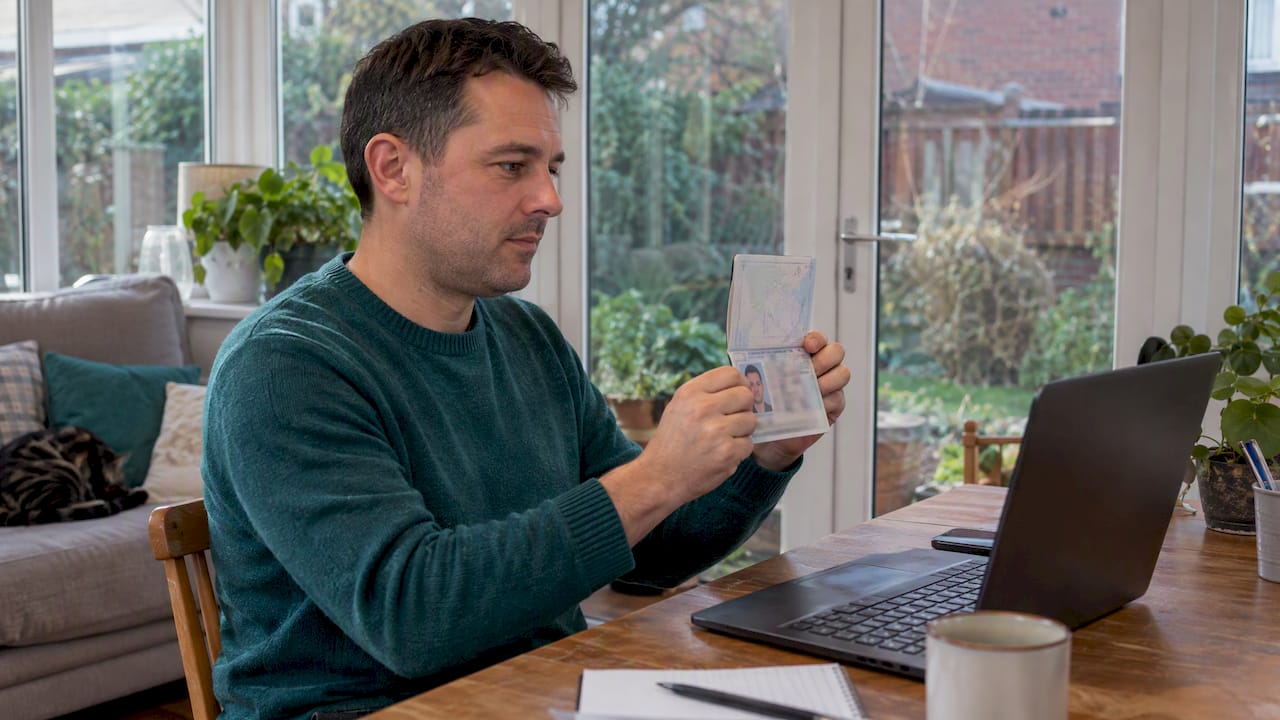
KYC for notarisation means proving two things: that your identity document is genuine, and that you are the person it names. Gov treats both as separate checks, and both must pass whether the check is in person or by video. We run these checks live by video.
***
TL;DR: - Ask the receiving authority whether it requires an original, certified copy, proof of address, or an apostille before booking the notary session. - A remote check should inspect passport security features live and compare your face with its photo; a scan alone may not establish both. - Bring the complete, unsigned document and original ID; name differences, expired documents, glare, or weak video can delay or derail verification. - Notarisation and an apostille serve different purposes: a notary verifies identity or witnesses a document, while an apostille authenticates a signature and seal, not content. - The session is recorded, so ask the provider how long it keeps video and identity evidence, who can access it, and what records are available.
***
Table of Contents
- Which identity documents do notaries accept?
- How do remote identity checks work for notarisation?
- How should you prepare your documents and ID?
- What is the difference between notarisation and an apostille?
- Why UK digital identity standards matter for remote notarisation
- What regulatory requirements apply to KYC in notarisation?
- How is your data kept private during identity verification?
- What goes wrong in remote KYC, and how do you fix it?
- What are the steps of online notarisation KYC?
- A practical view on booking a remote identity check
- How we handle KYC and notarisation online
- FAQ
- Sources
Which identity documents do notaries accept?
Photo ID may be requested. A passport or photocard driving licence may be suitable, but check the requirements of the service and the organisation receiving your document. GOV.UK lists both as examples of documents that may be certified.
Requirements vary by service and by the organisation asking for your document. These are the items you are most likely to be asked for:
- A current passport, the preferred form of photo ID for remote checks.
- A photocard driving licence, where the requester accepts it.
- Another government-issued photo ID, if the receiving party names it.
- Proof of address, such as a recent bank statement or utility bill, only when it is requested.
- The complete, unsigned document you want notarised.
Originals matter. A UK government notarial guide notes that some services require originals and may reject copies. Whether a certified copy is suitable depends on the receiving organisation’s requirements.
The organisation that will receive your document sets the final rule. Ask them what they accept before you book anything, because a perfectly valid ID can still fail a requirement you did not know about.
How do remote identity checks work for notarisation?
A remote check is not a photo upload. GOV.UK guidance says a remote check must use a clear image or video that lets the verifier examine security features, and it must establish that the person presenting the evidence matches the photograph.
The process considers two questions: is the document genuine, and does it belong to the person presenting it? A document scan alone may not establish both.
A typical remote check runs like this:
- You show your passport to the camera, tilting it so the verifier can see holograms, the photo page and printed details.
- The verifier compares the photograph with your face on live video.
- The check should use clear video or images and establish that the person presenting the evidence matches the photograph.
- Where the tools allow, a biometric match links your face to the document photo.
- The verifier records what was inspected and keeps evidence of the session.
Stronger setups add cryptographic checks. HM Land Registry guidance explains the pairing: biometrics link the presenter to the document, while cryptographic checks, such as reading a passport chip, help establish that the evidence itself can be trusted.
Record keeping matters as much as the check. The ID5 form, for example, asks the verifier for a colour screenshot taken during the video call and a record of the evidence inspected. A screenshot and a record of the evidence inspected can document what was checked.
Pro Tip: Sit in bright, even light and hold your passport steady for a few seconds, so the verifier can inspect every security feature without asking you to repeat it.
How should you prepare your documents and ID?
Preparation prevents most delays. Work through this list before your appointment:
- Keep the document unsigned. Signing happens during the session, not before.
- Bring the original, unless the requester has confirmed that a certified copy is enough.
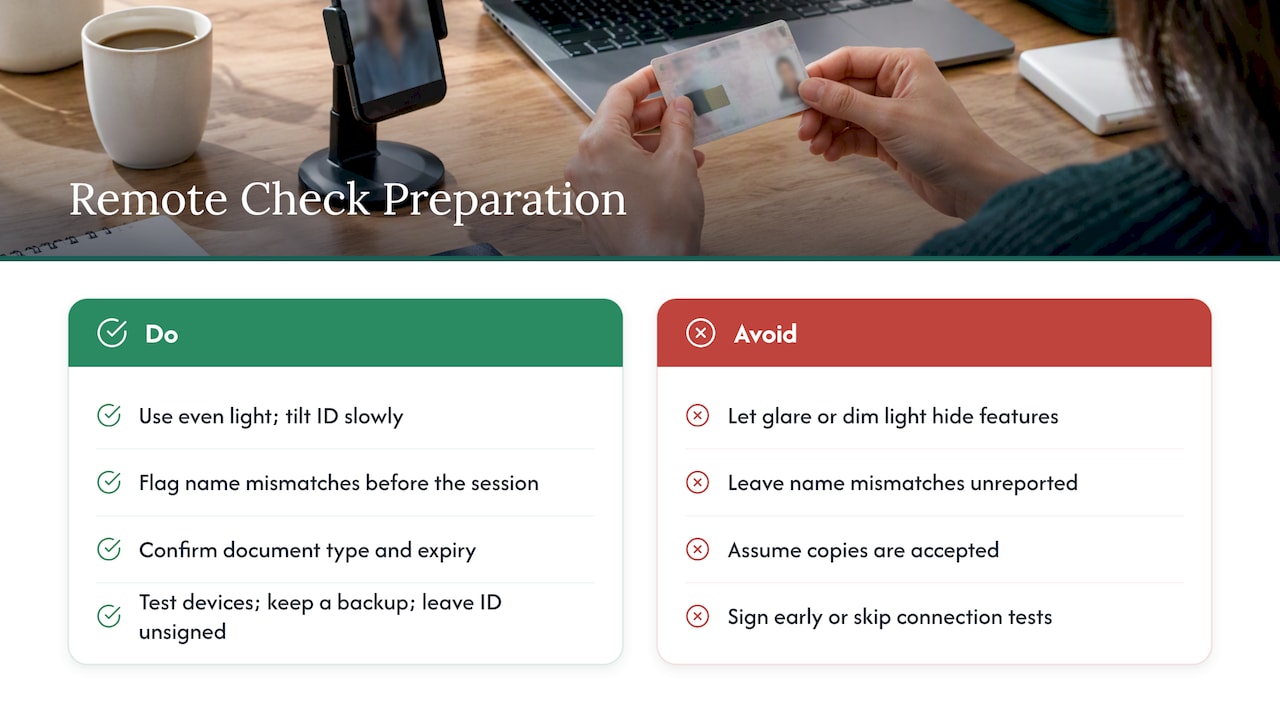
- Check that the name on your ID matches the name in your document. A mismatch is a common failure point, so note any differences, such as a middle name or a married name, before the session.
- Have your physical ID ready to show live on camera, or clear colour images if the service asks for them.
- Confirm with the receiving authority whether they need originals, certified copies or specific wording.
If your document supports a mortgage or property purchase, the paperwork often has extra layers. A practical guide on proof of deposit documents shows how financial evidence is assembled before it reaches a lender or solicitor.
Our own overview of the conditions for online notarisation covers ID, live signing and ID5 in more detail, if you want a second checklist.
What is the difference between notarisation and an apostille?
A notarisation and an apostille do different jobs. Notarisation involves a commissioned notary checking your identity and witnessing or certifying your document. An apostille authenticates something else: the origin of a public document's signature, the capacity of the signer and the seal or stamp on it.
Under the Hague Convention, as HCCH explains, an apostille does not validate the content of the document. Electronic apostilles are possible, but the receiving authority's own requirements still decide what you must supply.
Whether a document needs notarisation, an apostille, both or neither depends on the receiving authority’s requirements. GOV.UK advises that a document intended for use abroad may need notarisation in the place the receiving authority specifies. Always ask the receiving authority which route they expect before you pay for either step.
If you need the second step, our guide to getting a UK apostille from abroad explains how to prepare your documents by video.
Why UK digital identity standards matter for remote notarisation
UK guidance gives a useful picture of what good remote identity checking looks like. HM Land Registry's approach combines biometric and cryptographic checks, which is a model of enhanced assurance rather than a bare document scan. GOV.UK, for its part, keeps genuineness checks and identity matching apart, so a process that skips either one is incomplete.
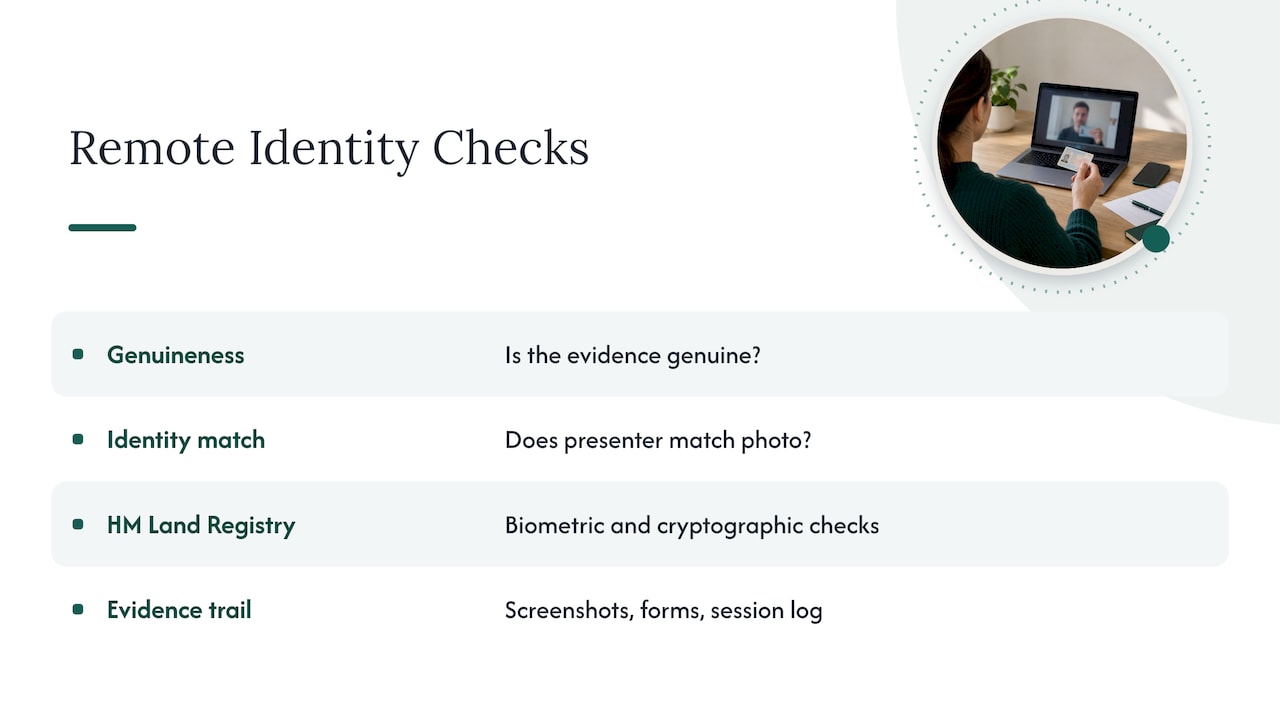
For notarisation, this means a remote check should address both questions and leave a trail. We recommend keeping the evidence a later reviewer may ask for: screenshots from the video session, the identity forms completed and the session log. The ID5 form shows the principle, since it asks the verifier to retain a copy of the evidence and the call screenshot.
What regulatory requirements apply to KYC in notarisation?
KYC for notarisation is shaped by who receives your document, not by a single rulebook. A bank, a conveyancer, a foreign embassy or a registry each applies its own standard, and each decides whether a given check meets it.
Government guidance shows the range. Identity-proofing guidance sets out expectations for document validation, matching the person to the evidence and resisting impersonation. Land registration workflows apply their own forms, such as ID5 for video verification. HM Land Registry's guidance shows that digital identity checks can suit regulated workflows when they meet the applicable assurance standard, and the evidence needed depends on the receiving organisation, the document type and the jurisdiction.
For you, the practical rule is simple. Find out which standard your recipient applies, then choose a verification route that produces matching evidence. A recorded session, a documented inspection of your passport and a clear identity match are the elements most recipients look for. We do not promise that any recipient will accept a particular document, because acceptance is always their decision.
How is your data kept private during identity verification?
An identity check handles sensitive material: your passport image, your face on video and your personal details. Good practice limits how much is collected, protects it while it is stored and keeps it only for as long as there is a reason to.
On our platform, sessions take place by video and are recorded. Documents and identity data are handled during the process. Recording is deliberate. The session record provides evidence of what took place.
You can help protect yourself too:
- Join from a private room, so no one else appears on camera or in the recording.
- Share only the documents the check requires.
- Use a secure personal connection rather than public Wi-Fi.
- Ask any provider what they record, how long they keep it and who can access it.
A clear answer to those questions is a good sign. A vague one is a reason to look elsewhere.
What goes wrong in remote KYC, and how do you fix it?
Remote checks can fail for several reasons, including avoidable preparation problems.
Poor image quality. Glare on a passport or a dim room hides security features. Move to even light, hold the document steady and tilt it slowly.
Name mismatches. The name on your ID differs from the name on your document. Spot this before the session and tell the verifier, or correct the document first.
Wrong document type. You arrive with a copy when the requester wants an original. Confirm in advance, as GOV.UK legalisation guidance advises, whether originals, certified copies or electronic documents are required.
Expired or damaged ID. Check with the requester whether your passport is acceptable and whether it needs to be current. If yours is close to expiry, check that the requester will still accept it.
Technical hiccups. A weak connection can freeze video mid-check. Test your camera, microphone and connection beforehand, and keep a second device nearby.
Unprepared documents. Signing the document too early forces a restart, so keep it unsigned until the session.
Most of these fixes cost nothing but a few minutes of preparation.
What are the steps of online notarisation KYC?
Online notarisation follows a clear order, and the identity check sits at its centre.
- Choose your service. Decide whether you need a signature notarised, a certified copy or another service, and confirm with the receiving authority what they require.
- Upload your document. Provide the complete, unsigned document in advance so the notary can review it.
- Book your video session. Pick a slot and have your passport ready.
- Complete the identity check. On the video call, the notary inspects your passport's security features and compares your face with the photograph.
- Sign live. Once your identity is confirmed, you sign during the session.
- Receive your notarised document. The commissioned notary applies the seal, and delivery is on the same day.
The session is recorded, which gives you and any later reviewer a clear record of what was checked. For more information about the service, see our overview of online notarisation.
A practical view on booking a remote identity check
Start with the receiving authority, because their requirements decide everything else. A perfectly executed check is wasted if the recipient wanted a different form of evidence.
Then look for a route that does the basics properly: a live video check, a real inspection of security features and an audit trail you can point to later. Be wary of any process that reduces identity to a single photo upload.
When in doubt, choose the cautious path. Arrange to show your originals live, or use a service that retains evidence of what it saw. A few extra minutes at the start is cheaper than a rejected document at the end.
— Jérémy
How we handle KYC and notarisation online
We run identity checks by live video with a commissioned notary, record the session and keep the evidence. You can complete your identity verification and have your document notarised without travelling, and we deliver the finished document on the same day.
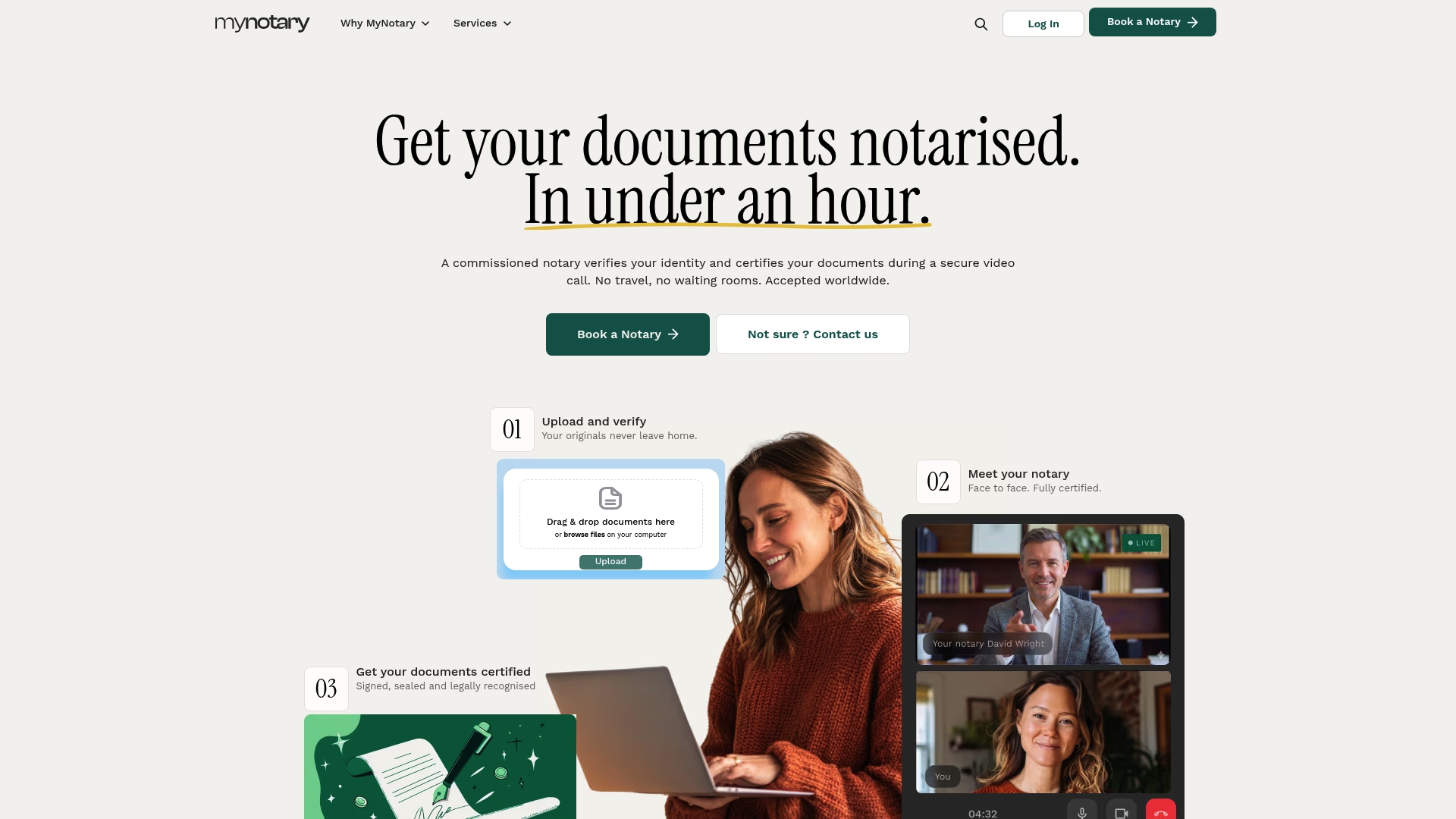
Our services cover identity verification, notarised certified copies and support for the apostille step, though acceptance of any document always rests with the receiving party. Our KYC identity verification service is the place to start, and our services page lists everything we offer, so you can check the details and book your session today.
This article is general information, not a substitute for advice from a qualified lawyer. Consult a qualified legal professional about your own circumstances before acting on anything here.
FAQ
What does it mean when a document is notarised?
A notarised document is handled by a commissioned notary, who may verify the signer’s identity and apply a seal as part of the service. The steps depend on the document and the receiving authority’s requirements. It does not mean a receiving authority will automatically accept the document.
Is notarised the same as apostilled?
No. Notarisation verifies identity and witnesses or certifies a document, while an apostille authenticates the origin of a signature and seal. An apostille does not certify the content of the document. Whether a document needs both depends on the receiving authority’s requirements.
What is the easiest way to get something notarised?
Online notarisation by video is often the simplest route. You upload your unsigned document, show your passport live, sign during the session and receive the notarised document without travelling.
What ID do I need for a remote identity check?
A current passport is the usual choice, and a photocard driving licence may also be accepted. The organisation receiving your document sets the final requirement, so confirm with them first.
Sources
Recommended
Got questions? We’re on it.
Most questions are answered here, drawn from what people actually ask before booking. If yours isn’t, our team is in chat.
A notarised document is handled by a commissioned notary, who may verify the signer’s identity and apply a seal as part of the service. The steps depend on the document and the receiving authority’s requirements. It does not mean a receiving authority will automatically accept the document.
Last updated: