7 Checks to Get Online Notary Documents Accepted for Freelancers
By Jeremy Arhab, Founder · Published 24 September 2026 · Updated 24 September 2026
Freelancers: avoid rejected online notary documents. Follow seven checks before booking: passport ID, unsigned PDF and confirm whether an Apostille is...

Yes. For most freelance needs, an online notary for freelancers is a workable route, provided you check the recipient's requirements and any Apostille needs first. The Law Commission has confirmed electronic signatures can generally execute documents, and a platform like My Notary combines passport identity checks with a same-day turnaround.
***
TL;DR: - Remote notarisation is suitable for straightforward documents like affidavits and client contracts, but complex property or multi-signer cases may require additional time and verification steps. - Proper preparation, including finalizing the document, verifying identities, and confirming recipient requirements, is crucial to prevent delays or invalidations. - The law confirms electronic signatures and e-Apostilles are generally accepted internationally, but specific recipient rules can override these standards. - During the session, the notary verifies identities through passports, witnesses signing, and records the process to create a trusted audit trail. - Always verify with the recipient beforehand if an Apostille or specific format is needed to avoid issues with acceptance or additional certification delays.
***
Table of Contents
- Which documents do freelancers actually notarise?
- How do you prepare for a remote notarisation session?
- Will a remotely notarised document actually be accepted?
- What happens during the video appointment?
- What mistakes trip up freelancers most often?
- When speed works and when it doesn't
- Ready to notarise a document today?
- Sources
- FAQ
Which documents do freelancers actually notarise?
Freelancers rarely need notarisation for every day invoicing or standard client contracts. It becomes necessary when a document must carry independent proof of identity, signature, or authenticity for a third party, often overseas.
The most common documents that cross a notary's desk include:
- Client contracts destined for an overseas partner or platform
- Powers of attorney, letting someone else manage a contract or bank account on your behalf
- Affidavits and statutory declarations, including proof of income or self-employment status
- Certified copies of qualifications, passports, or professional certificates
- Bank onboarding forms and KYC identity verification documents
- Parental travel consent letters, if you're working abroad with children
Some documents carry extra formality regardless of how they're signed. Property deeds, court evidence, and paperwork destined for certain government bodies or foreign registries often demand additional certification steps beyond a standard notarisation. If your document falls into one of these categories, expect the process to take longer and involve more back-and-forth with the receiving authority.
How do you prepare for a remote notarisation session?
Most rejected notarisations trace back to poor preparation, not a flaw in the remote process itself. Working through a short checklist before you book removes almost all of that risk.
- Leave the final document unsigned. The notary needs to witness or supervise the signing itself, so a pre-signed file cannot be used.
- Strip out tracked changes and comments. A document with visible edit history looks unfinished and can delay or invalidate the session.
- Save one clean, final PDF. Name it clearly and keep only that version open when the appointment starts.
- Gather your identity documents. A passport is the preferred form of photo ID for most platforms, but keep a backup ID and any recipient-specified translation ready too.
- Test your camera, microphone, and internet connection in advance. A dropped call mid-session can mean starting again.
- Confirm every signer's availability. If the document needs co-signers or witnesses, all parties must be present and verified during the same appointment.
- Ask the recipient directly whether they need an Apostille, a paper original, or a certified copy, rather than assuming.
Pro Tip: Keep names and passport numbers on the document identical to how they appear on the ID you'll present. A mismatched middle name or expired passport is one of the fastest ways to stall a session that would otherwise take under an hour.
Preparation matters most for documents with several signers or a specific destination country, where a single missing detail forces a reissue rather than a quick fix.
Will a remotely notarised document actually be accepted?
The legal groundwork is solid. The Law Commission's position on electronic execution confirms that electronically signed documents can generally be used to execute contracts and declarations. That doesn't mean every recipient accepts the same format, though. Banks, foreign registries, and government departments each set their own rules on top of the baseline legal position, so the recipient's own instructions always take priority over general guidance.
Three areas need particular attention:
- International use. The HCCH Apostille section explains that an Apostille authenticates a document's origin for use abroad. An e-Apostille is a recognised digital certificate under the Convention, and it cannot be refused solely for being electronic, though the destination country still decides what format it wants alongside it.
- Court evidence. Practice Direction 32 treats notarial acts and affidavits as distinct categories with their own formal requirements, so an affidavit for litigation isn't interchangeable with a standard notarised statement.
- Property transactions. HM Land Registry's practice guide 82 sets out which electronic-signature routes it accepts and flags extra certification steps for certain property documents.
The rule of thumb: check the receiving body's guidance before you book, not after the session. Our guide to confirming acceptance in England and Wales covers the four checks worth running first.
What happens during the video appointment?
A remote notarisation session follows a fixed sequence designed to leave a clear audit trail behind it. Each stage exists to answer a question a recipient might later ask: who signed, when, and how do we know it was really them?
- Identity verification. You present a passport on camera, the notary matches the photo to your face, and some platforms add a biometric check for extra assurance. Each signer on a multi-party document is verified individually.
- Document confirmation. The notary checks the document is still in its unsigned, final form before anything is signed.
- Signing and witnessing. The notary either witnesses you signing physically or supervises an electronic signature, then applies a notary seal to the completed record.
- Recording. The full session is recorded, creating a timestamped account of who attended and what was agreed.
- Delivery. You receive a certified digital file, and where offered, a same-day physical certified copy or a notarised translation.
Turnaround for a completed notarisation is typically rapid from the start of the session, which matters when a client or bank is waiting on the paperwork. The recorded session and passport-based identity check together form the audit trail that gives a receiving party confidence in the document's origin, which our guide to document identification covers in more detail.
What mistakes trip up freelancers most often?
Most problems with online notary for freelancers workflows come down to timing and coordination, not the notarisation itself.
- Signing the wrong or early version. Fix it with strict version naming and a final check of the document immediately before the call.
- Skipping the Apostille conversation. Ask the recipient in writing, before you book, whether they need an Apostille, an original, or a certified copy.
- Missing a co-signer or misspelt ID details. Confirm every signer's availability and verify names against passport data days in advance, not minutes before the appointment.
Pro Tip: *If your document needs a translation as well as notarisation, sort the translation first. A certified translation guide is a useful reference for freelancers working with overseas clients or registries.*
When speed works and when it doesn't
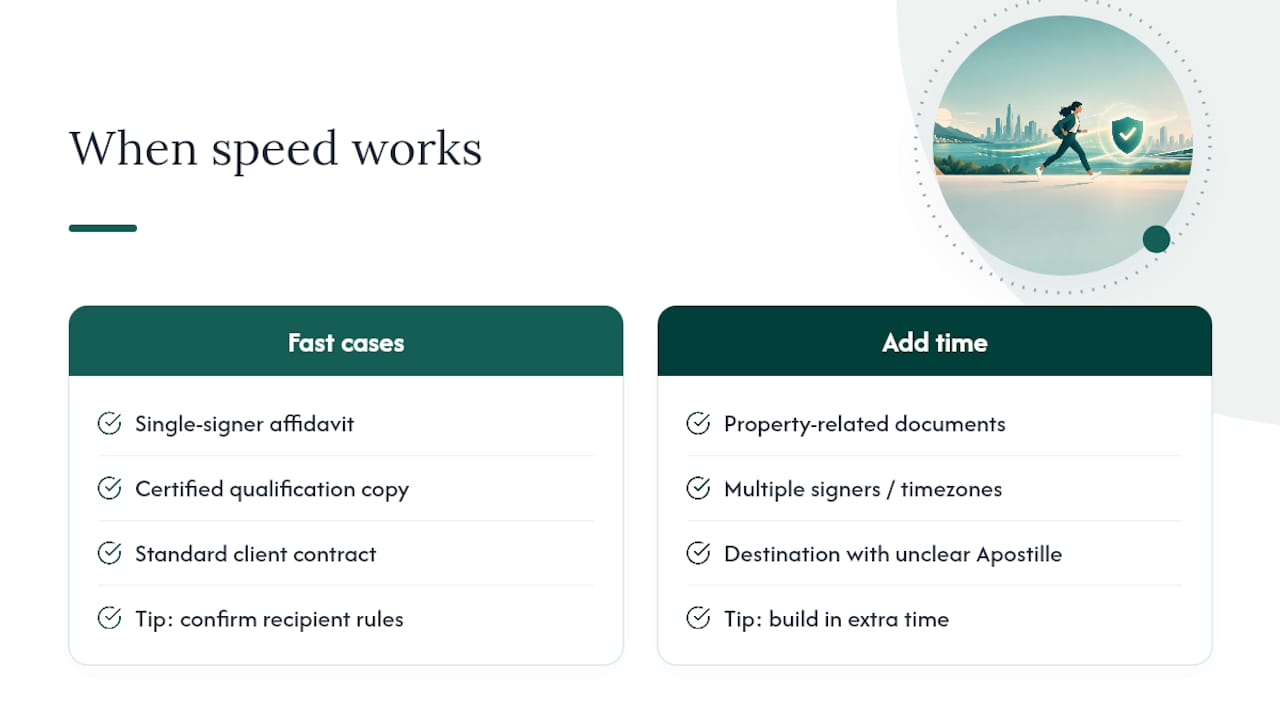
Remote notarisation suits freelancers who need a straightforward document turned around fast: a single-signer affidavit, a certified copy of a qualification, a standard client contract. In those cases, speed and convenience genuinely outweigh any benefit of an in-person appointment.
Where I'd build in extra time is anything touching property, multiple signers across time zones, or a destination country with unclear Apostille rules. None of these make remote notarisation unsuitable. They just mean the bottleneck sits with the recipient's paperwork requirements, not with the notary session itself. Freelancers who treat the recipient check as step one, rather than an afterthought, are the ones who avoid a second booking.
— Jérémy
Ready to notarise a document today?
If you've worked through the checklist above and your document is ready, My Notary gets you from booking to certified file faster than arranging an in-person appointment ever could. Sessions run over video with passport-based identity verification, a recorded appointment, and a commissioned notary confirming the document before anything is signed.
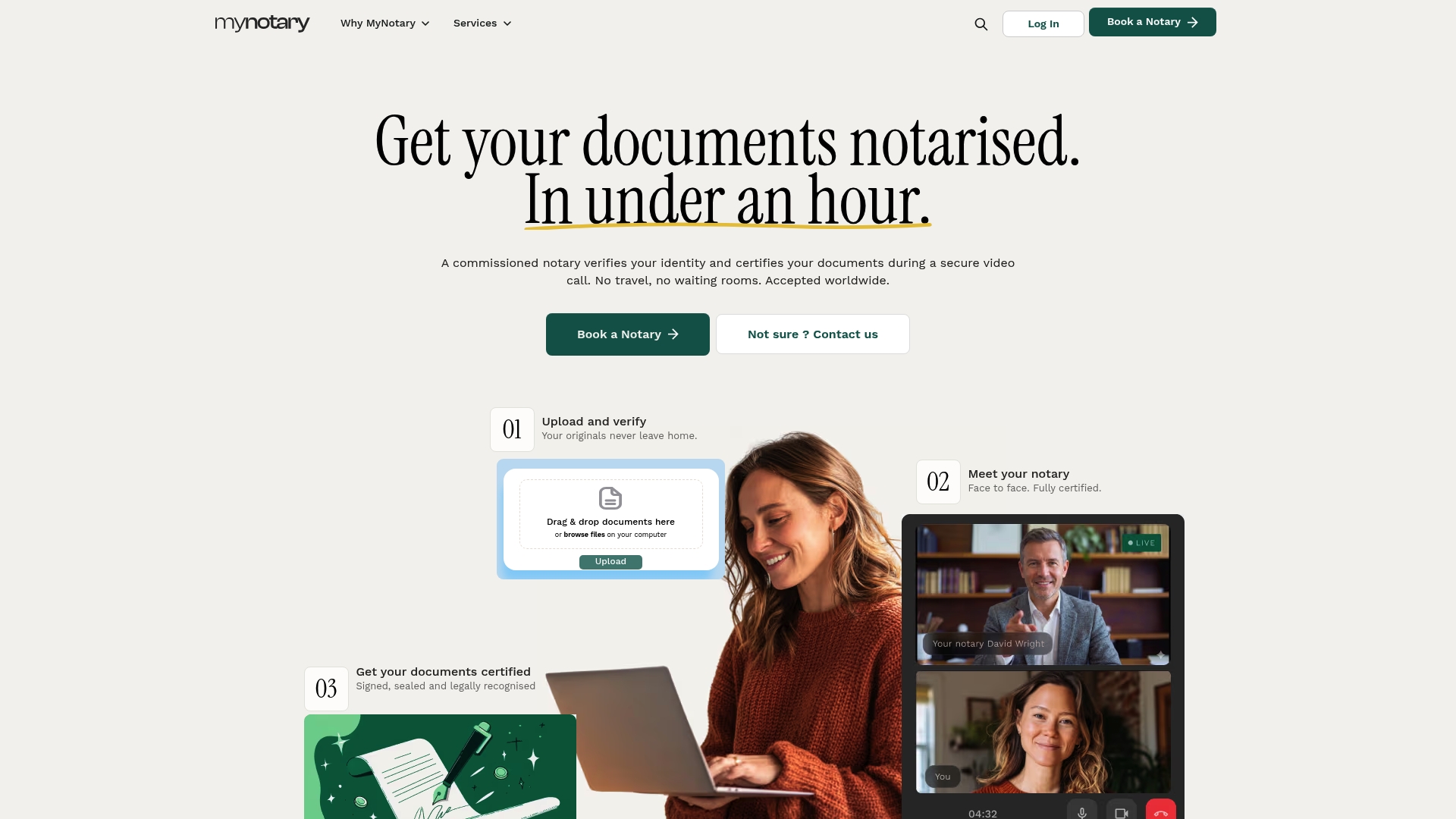
My Notary covers the documents freelancers ask for most: affidavit notarisation, certified copies of qualifications, signature certification, and corporate document notarisation for contracts and business paperwork. If you're preparing a bank onboarding pack, a notarised copy of a bank statement is also available. Browse the full services page to find the exact document type you need, confirm your recipient's requirements, and book a session at a time that suits your schedule.
This article is general information, not a substitute for advice from a qualified lawyer. Consult a qualified legal professional about your own circumstances before acting on anything here.
Sources
- Electronic execution of documents - Law Commission
- HCCH — Apostille section
- Part 32 — Evidence (Civil Procedure Rules)
- Practice guide 82 — electronic signatures accepted by HM Land Registry
FAQ
Can freelancers legally use an online notary?
Yes. The Law Commission has confirmed electronic signatures can generally execute documents, though the recipient may still set its own format requirements. Always check with the receiving party before your session.
How long does an online notarisation take?
A typical online notarisation session runs quickly from start to certified delivery. Complex cases involving multiple signers or an Apostille request can take longer, depending on how quickly all parties are available.
Do I need a passport for identity verification?
A passport is the preferred identification document for most online notarisation platforms. Some sessions add a biometric check, and each signer on a multi-party document is verified individually.
Will my document need an Apostille?
Only if the receiving country or institution requires one for international use. An e-Apostille is a recognised digital certificate that cannot be refused solely for being electronic, but you should confirm the destination's exact requirements before booking.
What if my document is for a court or property matter?
These carry extra formality. Affidavits and property documents each follow their own rules, so check the specific guidance for your document type before your appointment.
Recommended
Got questions? We’re on it.
Most questions are answered here, drawn from what people actually ask before booking. If yours isn’t, our team is in chat.
Yes. The Law Commission has confirmed electronic signatures can generally execute documents, though the recipient may still set its own format requirements. Always check with the receiving party before your session.
Last updated: