Make a digital notarized document UK recipients accept: QES, ID checks
By Jeremy Arhab, Founder · Published 7 September 2026 · Updated 7 September 2026
Find what UK recipients need to accept a digital notarized document: prepare QES, an audit trail and verified ID before booking.
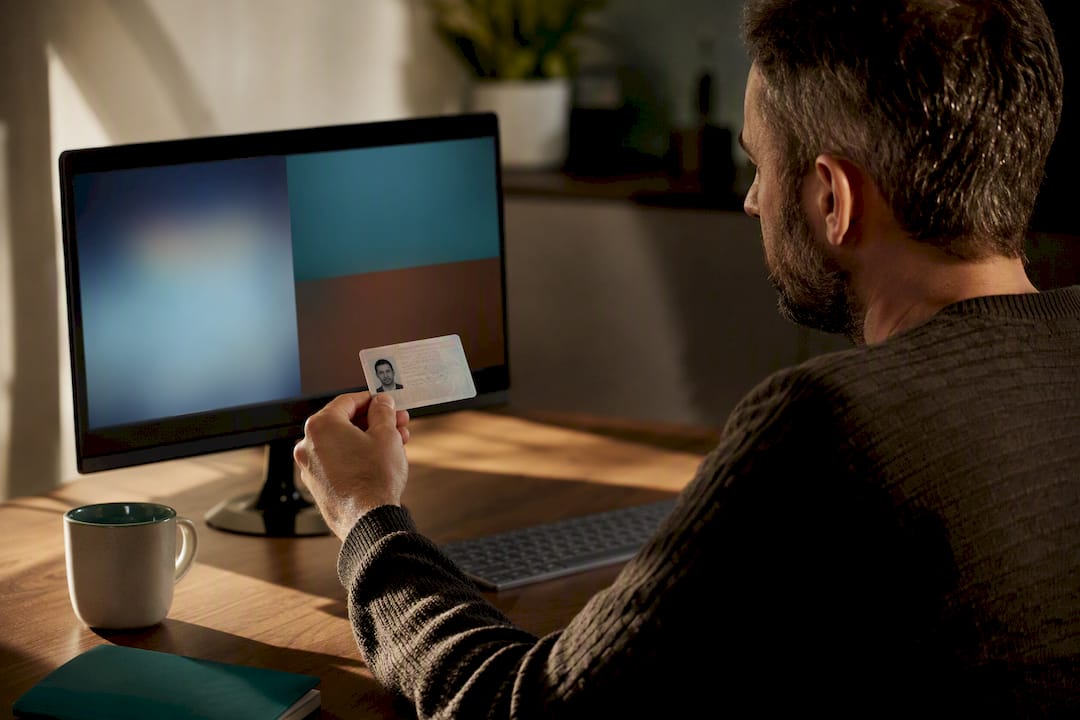
Yes, many documents can be notarised digitally, provided the notary can verify your identity, apply an appropriate electronic signature standard, and the receiving authority is prepared to accept an electronic notarial act. Three conditions decide the outcome every time: solid identity proofing, the right signature level (a Qualified Electronic Signature where the stakes are high), and confirmed acceptance at the other end. Sort those three before you book, and rejection becomes the exception rather than the risk.
***
TL;DR: - Digital notarisation requires verifiable identity proofing, the appropriate signature level such as a Qualified Electronic Signature, and confirmation of acceptance from the recipient authority. - Remote notarisation involves uploading the document, biometric identity verification, a live video signing session, and a secure log including timestamps, IPs, and session recordings to ensure evidential integrity. - Most routine documents like affidavits, corporate resolutions, and certified copies can be notarised online, but deeds or land registry forms may need extra verification; always check with the destination institution. - Legal validity depends on the use of a Qualified Electronic Signature, a thorough evidence trail, and explicit recognition by the jurisdiction, but cross-border acceptance often requires additional confirmation. - Success hinges on confirming the recipient’s criteria beforehand, as even a flawless process can be rejected if the destination does not accept electronic notarisation for that document type.
***
Table of Contents
- What happens during remote notarisation of a digital notarized document?
- Which documents can you notarise online?
- What makes a digital notarized document legally valid?
- How do you actually get a document notarised online, step by step?
- What risks should you watch for with online notarisation?
- Where My Notary fits into digital notarisation
- What actually matters most here?
- Ready to notarise your document online with My Notary?
- Sources
- FAQ
What happens during remote notarisation of a digital notarized document?
Remote notarisation follows a fixed sequence, and each step exists to protect the document's evidential weight later on. Skip one, and you weaken the paper trail a receiving authority will eventually scrutinise.
You start by uploading the document, usually as a PDF, so the notary can inspect its content and format before the session begins. If the document originated from an online portal (a bank statement downloaded as a PDF, for instance), a careful notary will verify against the original source rather than take the file at face value, because portals and electronic sources need active verification before they can be relied on.
Identity proofing comes next. Reputable platforms combine a biometric selfie check against a government-issued photo ID with document authenticity scanning, catching the kind of forged or expired ID that a human eye alone might miss.
Then comes the live video call itself. The notary observes you signing or acknowledging the document in real time, asks questions to confirm understanding and voluntariness, and checks that nobody else is influencing the signing off camera.
Everything that happens gets logged. A properly built audit trail typically captures:
- Timestamps for every stage of the session
- IP addresses and device information
- A record of the identity checks performed
- Session recording, where local rules permit it
- The notarial certificate or electronic notarial act itself
That certificate matters more than most people realise. Notaries are expected to issue the electronic notarial act using a Qualified Electronic Signature alongside an electronic facsimile of the notary's seal, which is what gives a third party confidence the document has not been altered since signing.
Which documents can you notarise online?
Most routine personal and business paperwork moves through remote notarisation without friction. Affidavits, powers of attorney, certified copies of identification, corporate resolutions, bank statements, and degree certificates for overseas use are all handled online every day.
- Powers of attorney for banking or property matters
- Statutory affidavits and sworn statements
- Certified copies of passports, ID cards, or biometric residence permits
- Corporate documents such as board resolutions and company certificates
- Bank statements and financial records for visa or immigration purposes
- Degree certificates, transcripts, and academic records for international use
A smaller category needs extra care. Deeds that traditionally require independent witnessing, certain land registry forms, and some statutory declarations sit in a grey zone where practice notes still flag evidential uncertainty for documents needing physical witnessing. The safest move is checking directly with the receiving institution before you book, so you know upfront whether they want an apostille, a physical certified copy, or a specific signature level. Our guide to document identification for notarisation covers what counts as an acceptable original in more detail.
What makes a digital notarized document legally valid?
Legal acceptability rests on three pillars: the signature standard used, the evidence trail behind it, and whether the receiving jurisdiction actually recognises electronic execution for that document type.
A Qualified Electronic Signature sits at the top of that hierarchy. It is cryptographically tied to a verified identity and a certificate issued by a regulated provider, which is why notaries are advised to rely on it when issuing an electronic notarial act that needs to withstand scrutiny abroad. A basic click-to-sign tool simply cannot offer the same evidential strength.
An electronic signature and the certificates behind it are admissible as evidence in legal proceedings, and can be used to demonstrate the authenticity or integrity of an electronically executed document.
That principle comes from the Electronic Communications Act 2000, which is the foundation UK courts lean on when asked whether an electronic signature holds up. It does not, however, guarantee acceptance everywhere. The Industry Working Group's report on electronic execution is clear that cross-border transactions often demand additional checks, a local legal opinion, or both.
Pro Tip: If your document is heading to a foreign registry, land office, or bank with strict internal rules, ask the notary in advance whether they can confirm acceptance in that specific jurisdiction. If they can't confirm it, treat that as your signal to request a physical certified copy or apostille as a backup, rather than finding out after the fact.
HM Land Registry's own practice guidance illustrates the point well: it accepts electronically signed documents, but only when the platform meets its procedural requirements and the completion certificate and audit report are kept for registration. Our explainer on whether electronic signatures are legally valid breaks down when this applies to deeds specifically.
How do you actually get a document notarised online, step by step?
Getting from "I need this notarised" to "it's accepted" is a four-stage process. Miss the preparation stage and everything downstream slows down.
- Get your document ready. Save it as a final PDF wherever possible, and if it references a portal-issued original (a payslip, a bank statement, a certificate downloaded from a government site), keep the login or access details handy in case the notary needs to verify it against the source.
- Prepare your identity documents. Have a valid passport or photo ID card ready, and make sure your biometric selfie is taken somewhere well lit, without hats, sunglasses, or heavy shadow across your face. Blurry or poorly lit selfies are the single most common reason identity checks stall.
- Book and join the video session. Expect the notary to ask you to confirm your understanding of the document, show identifying pages on camera, and sign or acknowledge it while the call is active. They may also ask a few plain questions to confirm you are signing freely and without pressure.
- Collect your notarial act and store it properly. After the session, you should receive the electronically signed document along with the notarial certificate and audit trail. Keep both, not just the signed PDF. If the destination needs a physical copy or legalisation, request the apostille or certified paper version at this stage rather than after submission.
Our electronic notarisation checklist walks through the same four stages with more detail on document formatting.
What risks should you watch for with online notarisation?
The biggest source of rejection is not a bad notary. It is a document sent to a recipient whose acceptance criteria nobody checked beforehand.
- Ask the receiving institution, in writing, exactly what they need: signature level, apostille, or witnessing.
- Choose a Qualified Electronic Signature whenever the recipient or registry has a reputation for being strict.
- Insist on portal verification if your document was issued electronically by a third party.
- Keep the audit trail and notarial certificate together with the signed document, not just the PDF.
- Treat a refusal to share an audit certificate as a warning sign, not a minor inconvenience.
Notaries carry a duty here too. Good practice means taking reasonable steps to check acceptability in the receiving jurisdiction, or telling the client plainly when that cannot be confirmed. If a platform cannot tell you which method it used or hesitates to hand over its audit certificate, that is a red flag worth acting on before you pay, not after.
| Risk | Why it matters | What to do |
|---|---|---|
| Weak or unverifiable ID checks | Recipients may reject the notarial act outright | Choose a platform using biometric and document verification |
| No audit trail supplied | Hard to prove the process if challenged | Request the certificate and audit report every time |
| Cross-border uncertainty | Standards accepted domestically may not travel | Get written confirmation from the recipient beforehand |
| Deeds or witnessing requirements | Some documents still expect physical formalities | Ask about witnessing needs before booking |
For property or cross-border transactions specifically, guidance on avoiding notary rejection for international buyers covers similar ground from the conveyancing side.
Where My Notary fits into digital notarisation
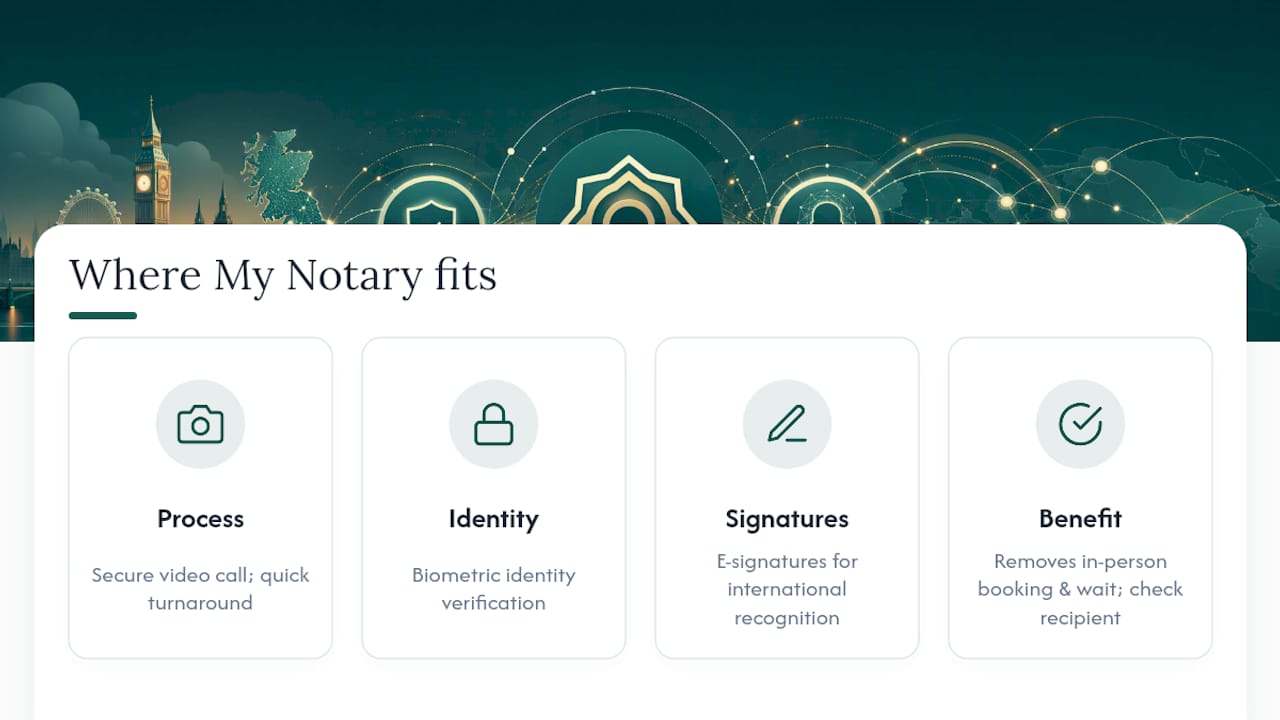
The platform runs its notarisation process over secure video call, with a relatively quick turnaround from booking to receiving a signed document. This is achieved by combining biometric identity verification with electronic signatures designed for wide international recognition, addressing identity proofing and signature standard conditions discussed earlier in the article.
The platform supports a wide range of document types in practice, including corporate paperwork, certified copies of identification, bank statements, and personal documents commonly needing certification. None of that removes the reader's own responsibility to confirm acceptance with the specific recipient or registry involved, particularly for cross-border cases. What it does remove is the friction of finding a notary, booking an in-person slot, and waiting days for an appointment.
What actually matters most here?
Most guidance on this topic obsesses over speed and convenience, and barely mentions the one thing that actually determines whether a digital notarized document survives contact with the real world: the recipient's own acceptance criteria. A notarisation can be technically flawless, biometric checks passed, QES applied, audit trail intact, and still get rejected because nobody asked the receiving bank, registry, or embassy what they actually wanted first.
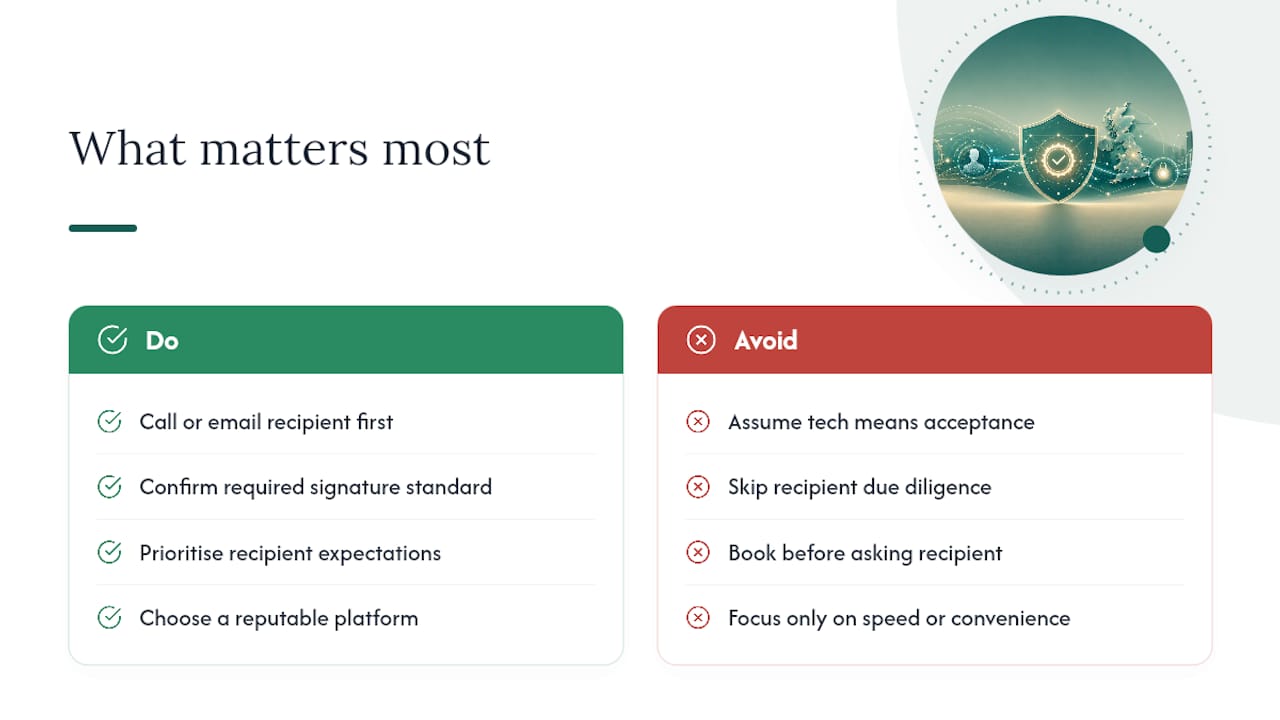
The conventional advice tells readers to "choose a reputable platform" and leaves it there. That's necessary but not sufficient. What separates a smooth notarisation from a stalled one is usually a five-minute phone call or email to the recipient made before booking, not after the document arrives back rejected.
If you take one thing from this article, prioritise that conversation over comparing platform features. Get the signature standard and evidence trail right, certainly, but confirm the destination's expectations first. The technology has matured faster than most people's due diligence habits have caught up with it.
— Jérémy
Ready to notarise your document online with My Notary?
This platform turns a notarisation that used to mean booking time off work and travelling to an office into a video call you can complete from home, often within about an hour. You upload your document, verify your identity with a biometric selfie and photo ID, and join a live session with a commissioned notary who signs off using an electronic signature designed for wide international recognition.
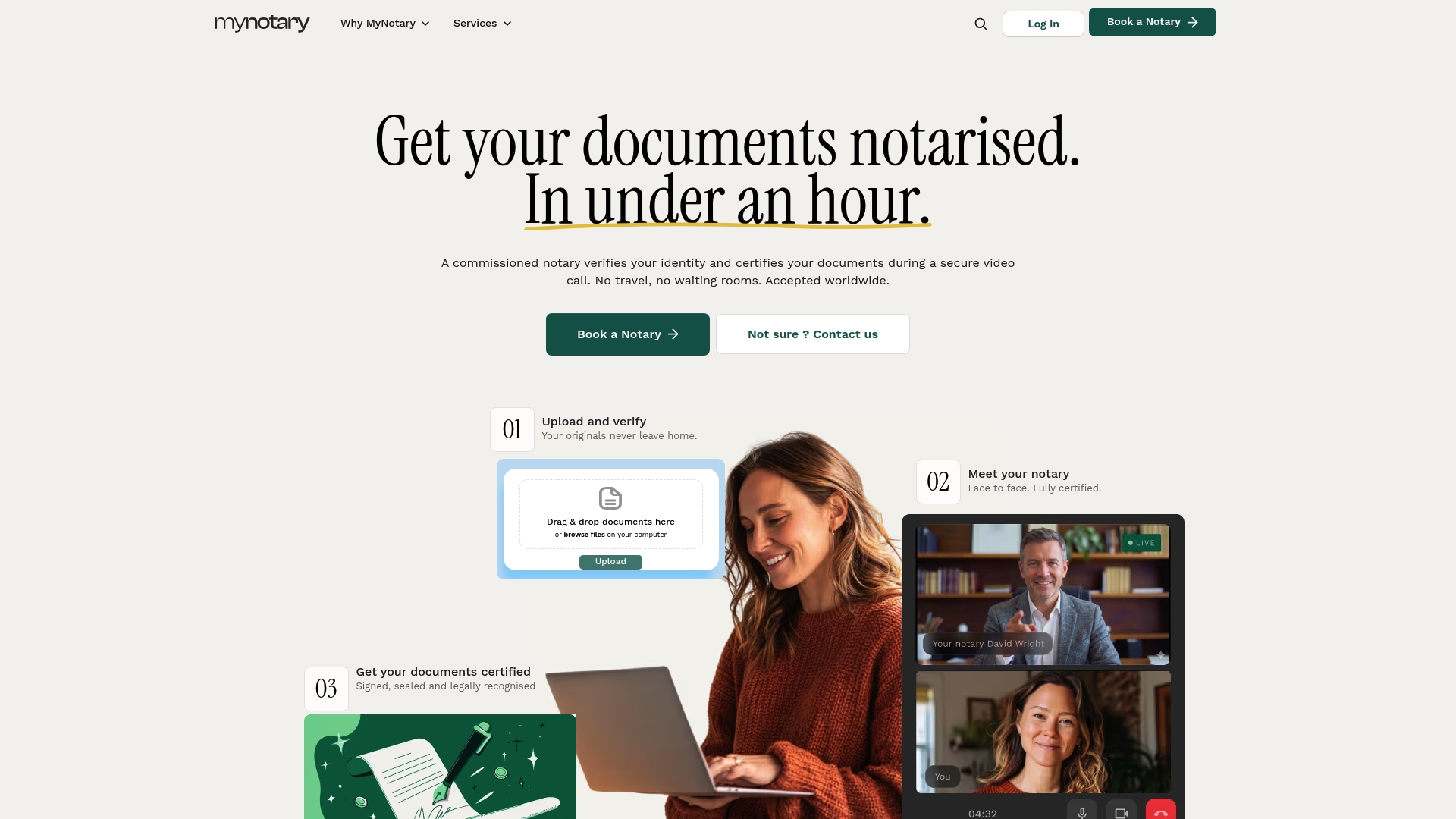
Whatever you're getting certified, whether it's a power of attorney for banking, a corporate document, a certified copy of a bank statement, or a degree certificate for a visa application, the process stays the same: prepare your ID, upload your document, and book your session through My Notary's online notary services. If your destination needs a physical certified copy or an apostille, you can add that on before your session ends.
Sources
- Electronic documents and electronic notarial acts — The Faculty Office
- Electronic execution of documents — Industry Working Group final report
- Electronic Communications Act 2000 — section 7
- Electronic signatures accepted by HM Land Registry — practice guidance
FAQ
Can I get a digital notary in the UK?
Yes. Remote video-call notarisation is available for many document types, provided the notary can verify your identity and apply the appropriate electronic signature standard for your document.
Can I use DocuSign to notarize a document?
No, a standard e-signature tool like DocuSign lets you sign a document electronically, but it does not involve a commissioned notary verifying your identity and issuing a notarial certificate, so it cannot substitute for actual notarisation.
How can I get a document notarised in the UK?
You can book a remote video-call session with a commissioned notary, upload your document, verify your identity, and sign while the notary observes, or arrange an in-person appointment if your document requires physical witnessing.
Where can I get a document notarised for free in the UK?
Free notarisation is uncommon, since notaries charge a fee for verifying identity and issuing a notarial certificate; some community or legal advice services occasionally offer reduced-cost certification for specific document types, but this varies by provider.
Will a digitally notarised document be accepted abroad?
It depends on the receiving country and institution. Cross-border acceptance can require additional checks or a local legal opinion, so confirm requirements with the recipient before booking your session.
Recommended
Got questions? We’re on it.
Most questions are answered here, drawn from what people actually ask before booking. If yours isn’t, our team is in chat.
Yes. Remote video-call notarisation is available for many document types, provided the notary can verify your identity and apply the appropriate electronic signature standard for your document.
Last updated: