Electronic notarisation: what individuals and businesses must check
By Jeremy Arhab, Founder · Published 1 August 2026 · Updated 1 August 2026
Unlock the benefits of electronic notarization. Learn essential checks for secure digital signatures and ensure your documents are valid.

Electronic notarisation is the application of a notarial act to a document that exists, is signed, and is delivered in electronic form, rather than on paper. The core difference from in-person notarisation is not the notary's duties but the medium: identity must still be verified, willingness and capacity must still be assessed, and the document must still be authenticated. What changes is how those checks are conducted and what evidence is retained.
Before you proceed, run through these four checks:
- Qualified Electronic Signature (QES): confirm the notary will sign the notarial act using a QES, the highest available certification standard, as guidance on electronic notarial acts recommends.
- Recipient acceptance: obtain written confirmation from the receiving authority or institution that it will accept an electronically notarised document before you begin.
- Robust identity verification and audit trail: check that the provider uses biometric or equivalent ID checks and retains a tamper-evident record of the session.
- Apostille or legalisation needs: if the document is going abroad, ask the notary about e-apostille availability and any additional legalisation steps before paying.
My Notary offers fast, auditable electronic notarisation via video call with biometric identity verification and electronic signatures recognised in many countries, making it a practical starting point for both individuals and businesses.
***
Table of Contents
- What is electronic notarisation, and how does it differ from remote online notarisation?
- How electronic notarisation typically works in the UK: a step-by-step workflow
- Electronic signature types and the role of a Qualified Electronic Signature (QES)
- Which documents can be e-notarised, and which need extra steps?
- International acceptance and apostille considerations for e-notarised documents
- Benefits and limitations of electronic notarisation compared with in-person notarisation
- Typical costs, turnaround times, and technical requirements
- How to choose a compliant online notary: criteria and red flags
- My Notary: secure, compliant electronic notarisation via video call
- Key takeaways
- Why careful verification matters more than the technology itself
- Recommended further reading and resources
- FAQ
What is electronic notarisation, and how does it differ from remote online notarisation?
The terms are often used interchangeably, but they describe overlapping rather than identical concepts.
Electronic notarisation refers to a notarial act that is applied to an electronic document. The notary may be physically present with the signatory or may conduct the session remotely; what defines the act as "electronic" is the form of the document and the signature, not the location of the parties.
Remote online notarisation (RON) is a subset: the notary observes the signing and conducts identity checks via a live video session, with both parties in different physical locations. Guidance on remote notarisation requires the notary to be physically located in England and Wales when using remote technologies, and to take steps to confirm the procedure will be acceptable to the receiving jurisdiction.
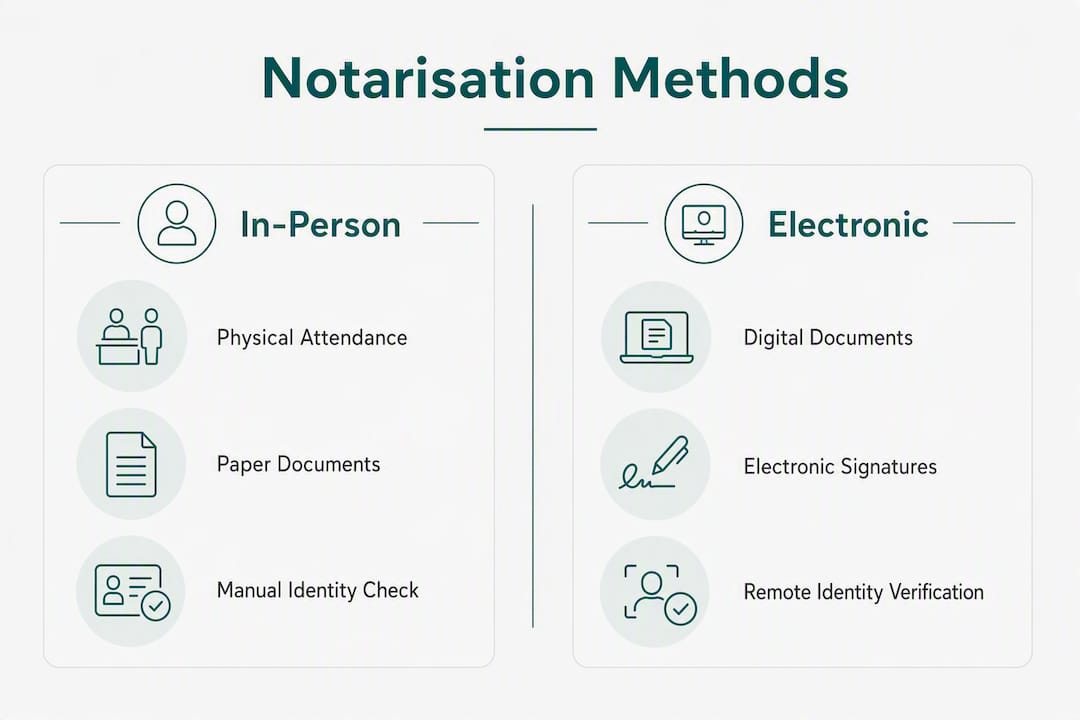
Traditional in-person notarisation involves the signatory attending the notary's office, signing on paper, and receiving a wet-ink certified document.
The table below sets out the practical differences across the three approaches.
| Dimension | In-person notarisation | Electronic notarisation | Remote online notarisation |
|---|---|---|---|
| Location of parties | Same room | Flexible | Different locations via video |
| Signature format | Wet ink | Electronic (ideally QES) | Electronic (ideally QES) |
| Identity check method | Face-to-face, original documents | Biometric / secure upload | Video observation, secure upload |
| Evidence retained | Paper file | Audit trail, certificate metadata | Session recording (with consent), audit trail |
| Delivery | Physical document | Certified PDF or hybrid | Certified PDF or hybrid |
One principle holds across all three: the notary's core professional duties — to be satisfied as to identity, willingness, capacity, and document form — do not change because the session is remote. Technology is the medium, not a substitute for professional judgement.
***
How electronic notarisation typically works in the UK: a step-by-step workflow
The process is straightforward when you prepare properly. Here is the standard sequence.
- Upload your document. Submit the document in PDF format through the provider's secure platform. Some providers offer document templates; others require you to supply the final version.
- Submit identity evidence. Provide photographic ID (passport or national identity card) and, where required, proof of address. The provider will conduct biometric or equivalent checks. Best-practice procedures recommend secure transmission of identity documents and direct observation of the signature via video where appropriate.
- Attend the live video session. Connect with the commissioned notary by video call. The notary will verify your identity, confirm your willingness and capacity, and observe the signing. Give consent for recording if the provider requests it. The recording forms part of the audit trail.
- Apply the electronic signature. You sign the document electronically within the provider's controlled signing environment. The notary then applies their own electronic signature, ideally a QES, to the notarial certificate.
- Receive the certified document. The completed, electronically signed PDF is delivered to you, typically with a tamper-evident certificate and audit log. Optional add-ons such as apostille, certified translation, or printed copies can usually be requested at this stage.
Before you start, confirm in writing with the intended recipient that it will accept a remotely notarised or electronically notarised document. Practitioners consistently emphasise that admissibility depends on the receiving country or institution, and written confirmation protects you if a dispute arises later. Also ask the notary at the outset whether apostille or legalisation services are available as add-ons, since arranging these after the fact can cause delays.
Pro Tip: Prepare a device with a working camera and microphone, a stable internet connection, and your original identity documents to hand before the session. Technical problems during the video call are the most common cause of delays.
***
Electronic signature types and the role of a Qualified Electronic Signature (QES)
Not all electronic signatures carry the same weight, and the distinction matters significantly for cross-border acceptance.
Simple electronic signatures are the most basic form: a typed name, a scanned image of a handwritten signature, or a click-to-agree mechanism. They carry minimal assurance about the signer's identity.
Platform-managed or conveyancer-certified signatures sit in the middle ground. HM Land Registry practice guidance describes conveyancer-controlled signing processes for certain registry transactions, where the conveyancer takes responsibility for verifying the signatory's identity and controlling the signing flow. These carry more assurance than a simple signature but are tied to specific transaction types.
A Qualified Electronic Signature (QES) is the highest available certification standard. It is backed by a qualified certificate issued by an accredited trust service provider and is created using a secure signature creation device. For notarial purposes, guidance on electronic notarial acts states that notaries should sign electronic notarial acts using an electronic signature certified to this level.
To verify a QES on a document you receive, open the PDF in a viewer that supports digital signature validation (Adobe Acrobat Reader, for example). Look for a signature panel showing the certificate chain, the issuing trust service provider, and a timestamp. A valid QES will display as trusted; an invalid or expired certificate will show a warning. Ask the notary to provide the certificate details in writing so you can cross-reference them.
Pro Tip: Ask your provider to confirm in writing which trust service provider issued the QES certificate and whether it appears on a recognised trust list. This single step can prevent rejection by overseas registries.
***
Which documents can be e-notarised, and which need extra steps?
Electronic notarisation suits a wide range of documents, but some categories carry additional requirements depending on the receiving jurisdiction.
Commonly e-notarised documents include:
- Certified true copies of passports, national identity cards, and residence permits
- Certified copies of academic qualifications and degree certificates for visa applications
- Commercial agreements, corporate resolutions, and administrative documents
- Powers of attorney for banking purposes in many jurisdictions
- Affidavits, statutory declarations, and identity verification forms
- Proof of address and residency documents
Documents that frequently require in-person acts or additional steps:
- Certain deeds, including deeds of gift or transfer, where the receiving jurisdiction requires wet-ink execution
- Wills and testamentary documents, where physical presence is often a formal validity requirement
- Documents requiring a witness physically present at signing
- Any document where the receiving authority has explicitly stated it will not accept an electronic notarial act
Electronic notarial acts may be issued in paper, electronic, or hybrid form, and each form carries different registration and acceptance implications overseas. A hybrid document, where an electronic notarial act is attached to a scanned paper annex, can sometimes satisfy requirements in jurisdictions that are cautious about fully electronic acts.
Always confirm the receiving authority's acceptance in writing before instructing a notary. If written confirmation is not possible, document the risk and ensure you understand the implications before proceeding.
***
International acceptance and apostille considerations for e-notarised documents
Cross-border use is where electronic notarisation most often runs into difficulty. Acceptance is jurisdiction-specific, and practitioners stress that clients often bear the burden of checking that a receiving authority will accept an electronic notarial act.
Take these steps before instructing a notary for overseas use:
- Contact the receiving authority, registry, or embassy directly and ask in writing whether they accept electronically notarised documents and, if so, what format and signature standard they require.
- Ask the notary whether an e-apostille is available or whether a physical apostille will be needed. Some authorities still require a wet-ink apostille affixed to a paper document.
- Check whether certified translation is required and whether the provider offers this as an add-on.
- Preserve all audit trail files, exported certificate chains, and session records. Some overseas registries may request these as supporting evidence.
Pro Tip: *For urgent visa document submissions, confirm apostille requirements with the relevant embassy at least a week before your deadline. Physical apostille processing adds time that an electronic workflow cannot recover.*
Some countries have adopted e-apostille processes under the Hague Convention framework, while others continue to require physical apostilles. Neither outcome can be assumed: verify for each destination country and each document type.
***
Benefits and limitations of electronic notarisation compared with in-person notarisation
Electronic notarisation offers genuine advantages, but it is not universally appropriate. A clear-eyed assessment helps you decide which route suits your situation.
Benefits:
- Speed: routine transactions can complete within an hour, compared with days or weeks for traditional appointments.
- Convenience: no travel, no waiting room, and no need to take time off work.
- Audit trail: a well-run electronic process produces a richer evidence record than a paper file, including timestamps, certificate metadata, and session recordings.
- Accessibility: individuals in remote locations, expats, and those with mobility constraints can access notarial services without geographic restriction.
- Cost: eliminating travel and reducing administrative overhead can lower the overall cost of notarisation.
Limitations and risks:
- Non-acceptance: some receiving authorities, particularly in jurisdictions with strict formal validity requirements, will not accept electronic notarial acts.
- Wet-ink constraints: certain document types legally require physical signatures or witnesses present in the same room.
- Identity-verification edge cases: video-based ID checks, while robust in most cases, can be challenged if the receiving authority questions the adequacy of remote verification.
- Platform dependency: if the provider's signing platform is not controlled end-to-end by the notary, there is a risk that the identity of the signatory cannot be fully verified. Guidance warns that third-party platform identity checks may be limited and recommends that notaries control the signing process or take additional steps to satisfy themselves of identity.
Risk mitigation:
- Insist on a QES where possible.
- Use providers where the notary controls the signing flow from start to finish.
- Keep recipient confirmation in writing.
- Verify the provider's audit log retention policy before instructing.
Pro Tip: Ask the provider how long session recordings and audit logs are retained and whether you can request a copy. A provider that cannot answer this question clearly is a provider worth reconsidering.
***
Typical costs, turnaround times, and technical requirements
Costs for electronic notarisation vary by document type, complexity, and any add-on services required. Standard certified copy notarisations and straightforward affidavits tend to sit at the lower end of the pricing range, while powers of attorney, corporate documents, and anything requiring apostille or certified translation attract higher fees. Providers typically charge on a per-transaction basis, with optional extras priced separately.
Turnaround times reflect this variation. Platform providers report rapid average turnaround times for routine tasks, with added time for legalisation, translation, or complex identity checks. A standard certified copy can often be completed within an hour; an apostille request or a document requiring certified translation will take longer, sometimes several working days depending on the legalisation route.
For the technical side, you will need:
- A device with a working camera and microphone (laptop, tablet, or smartphone)
- A stable internet connection capable of sustaining a video call
- A PDF viewer that preserves and displays digital signature metadata
- Access to the provider's signing platform (usually browser-based; no specialist software required)
Payment is typically made online before or at the point of booking. Delivery is usually a certified PDF sent by secure link or email, with optional printed certified copies or apostille services available as add-ons at an additional cost.
***
How to choose a compliant online notary: criteria and red flags
Choosing the right provider is as important as choosing the right document format. Use this checklist and the scripted questions below to vet any service before instructing it.
Selection checklist:
- QES availability for the notary's signature on the notarial act
- Notary-controlled signing flow (not delegated entirely to a third-party platform)
- Biometric or robust identity verification with a retained record
- Auditable session recording (with consent) and tamper-evident certificate
- Transparent apostille and legalisation options
- Clear, itemised pricing with no hidden fees
- Stated data retention policy for audit logs and session records
Questions to ask a provider before instructing:
- "Will the notary sign the notarial act using a Qualified Electronic Signature, and can you provide the certificate details?"
- "Does the notary control the signing process end-to-end, or does the signatory sign independently on a third-party platform?"
- "What identity verification methods do you use, and is a biometric check included?"
- "Can I access or receive a copy of the audit trail and session record after completion?"
- "Do you offer apostille or legalisation services, and what is the typical turnaround for those?"
- "How long do you retain session recordings and audit logs, and under what circumstances can they be disclosed?"
Red flags to watch for:
- Refusal or inability to show audit logs or certificate details
- No clear answer on whether the notary controls the signing flow
- Opaque or bundled pricing with no itemisation
- No stated process for confirming document acceptance by the receiving authority
- Inability to confirm QES or equivalent signature standard
Providers that combine biometric identity verification, retained session records, and QES support provide the strongest combined trust signals for cross-border acceptance.
***
My Notary: secure, compliant electronic notarisation via video call
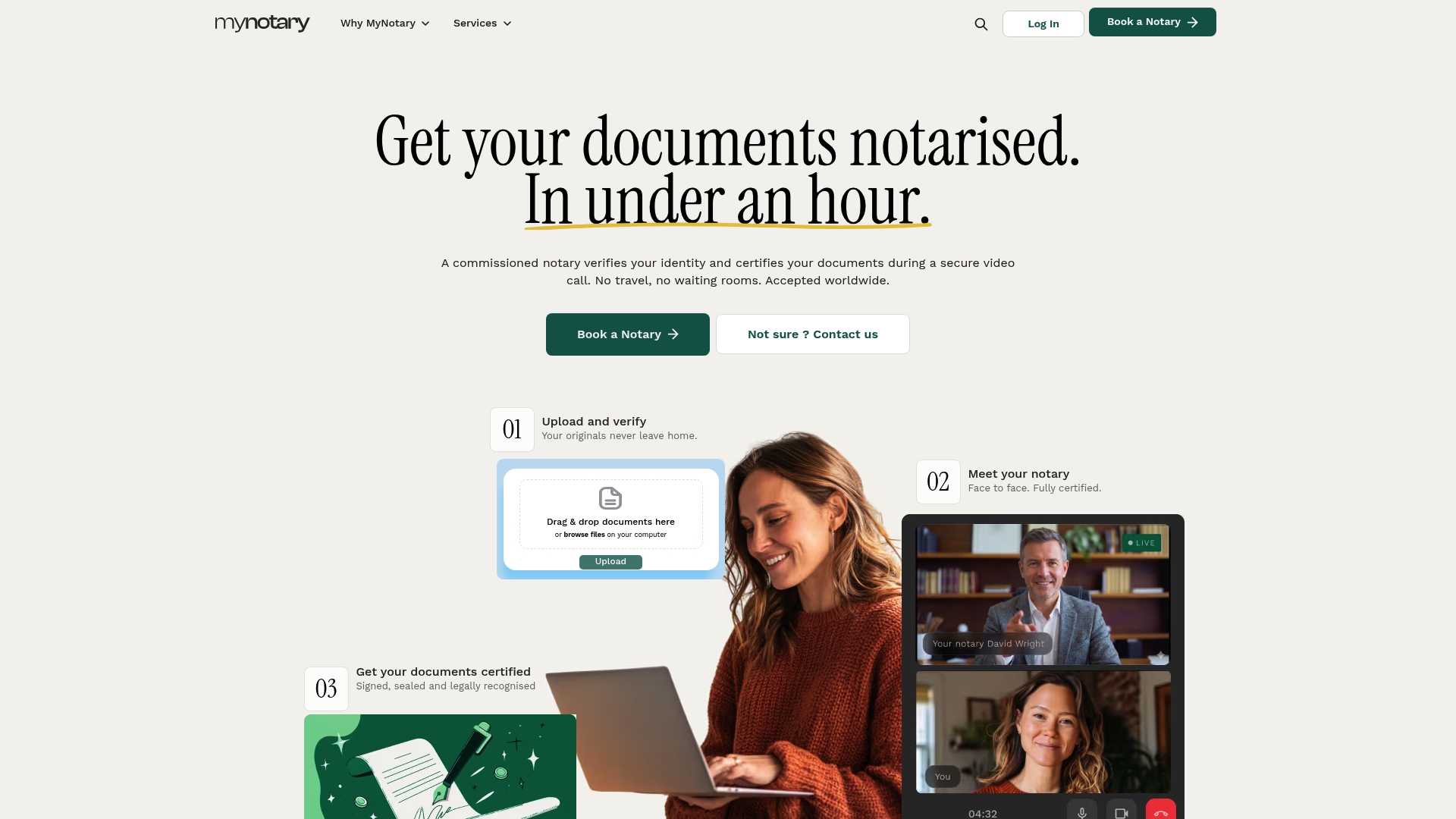
My Notary is a direct alternative to a traditional notary appointment for individuals and businesses who need documents certified quickly and without travel. Where a conventional appointment can take days to arrange and requires physical attendance, My Notary completes most standard notarisations quickly via a secure video call, with biometric identity verification built into the process and electronic signatures recognised in many countries.

The platform applies notary-controlled signing flows, so the commissioned notary oversees the entire process rather than delegating identity checks to an unmonitored third-party tool. Every session generates a full audit trail, including timestamps and certificate metadata, giving you the documented evidence that overseas registries and institutions increasingly require. Optional add-ons cover apostille services, certified translation, and printed certified copies for situations where a physical document is still needed.
My Notary serves individuals, expats, and businesses across a wide range of document types, from certified copies and identity verification forms to corporate documents and powers of attorney. Check your document's eligibility and book a session directly at uk.mynotary.io/services/online-signature-certification.
***
Key takeaways
Electronic notarisation is legally usable in the UK, but its acceptance by receiving authorities depends entirely on the document type, the jurisdiction, and the assurance level of the signature used.
| Point | Details |
|---|---|
| QES is the benchmark | The notary should sign the notarial act using a Qualified Electronic Signature for maximum cross-border assurance. |
| Confirm recipient acceptance first | Obtain written confirmation from the receiving authority before instructing a notary — acceptance is never automatic. |
| Audit trail and ID methods matter | Choose a provider with biometric identity verification, notary-controlled signing, and a retained tamper-evident audit trail. |
| Check apostille needs early | Ask about e-apostille or physical legalisation requirements before paying, as these add time and cost. |
| My Notary for fast, auditable notarisation | My Notary completes most standard notarisations promptly via video call, with biometric ID checks and signatures recognised in many countries. |
***
Why careful verification matters more than the technology itself
The efficiency gains from electronic notarisation are real and worth having. A document that once required a physical appointment, a courier, and a week's wait can now be certified in an hour from a laptop. That is a genuine improvement for expats, businesses operating across borders, and anyone who has ever lost a morning to a notary's waiting room.
What concerns me, however, is the tendency to treat the technology as a guarantee of acceptance. It is not. The notary's professional duties remain unchanged whether the session is in-person or via video, and the receiving authority's requirements are entirely independent of how convenient the process was for the signatory. A beautifully executed electronic notarial act with a valid QES can still be rejected by a foreign registry that simply does not accept electronic acts for that document type.
The practical implication is straightforward: the verification work must happen before the notarisation, not after. Confirm acceptance in writing, ask about apostille requirements at the outset, and choose a provider where the notary controls the signing process and can demonstrate a full audit trail. Those three steps cost very little time and prevent the most common and most frustrating outcome in this space: a correctly executed document that the recipient will not accept.
***
Recommended further reading and resources
These resources will help you verify requirements, understand the legal framework, and start a booking when you are ready.
- **My Notary: online notarisation UK guide** — a detailed procedural and legal background guide for anyone who wants to understand the full context of online notarisation in the UK before booking.
- **My Notary: document identification guidance** — practical guidance on which identity documents are accepted and how the verification process works, useful before your video session.
- **MNS Solicitors: UK family visa documents required** — an immigration law resource explaining which documents are needed for family visa applications, including notarisation and certification requirements. Useful if your document is destined for a visa application.
- **My Notary: remote online notarisation requirements** — explains jurisdictional variations and platform requirements for remote notarisation processes, helpful for cross-border use cases.
Always confirm the receiving authority's specific requirements before proceeding. Rules vary by country, document type, and institution, and no general guide substitutes for written confirmation from the recipient.
This article provides general information about electronic notarisation and is not legal advice. Confirm current requirements with the relevant authority or a qualified professional before instructing a notary.
***
FAQ
What is electronic notarisation?
Electronic notarisation is a notarial act applied to a document that is created, signed, and delivered in electronic form. The notary verifies identity, confirms willingness and capacity, and authenticates the document using an electronic signature, ideally a Qualified Electronic Signature, rather than a wet-ink one.
Is online notarisation legal in the UK?
Yes. Commissioned notaries in England and Wales may use remote technologies to certify documents, provided the notary is physically located in England and Wales during the session and takes steps to confirm the procedure will be acceptable to the receiving jurisdiction.
Can I use DocuSign to notarise a document?
DocuSign is an electronic signature platform, not a notarisation service. Notarisation requires a commissioned notary to verify your identity, assess your willingness and capacity, and apply a notarial certificate. A document signed via DocuSign alone has not been notarised.
What is the best electronic notarisation provider for UK users?
My Notary offers fast, auditable electronic notarisation via video call with biometric identity verification and electronic signatures recognised in many countries, making it a practical starting point for both individuals and businesses.
Do electronically notarised documents need an apostille for overseas use?
It depends on the destination country and document type. Some countries accept e-apostilles; others require a physical apostille affixed to a paper document. Confirm requirements with the receiving authority in writing before instructing a notary, and ask your provider about apostille add-on services at the outset.
Recommended
Got questions? We’re on it.
Most questions are answered here, drawn from what people actually ask before booking. If yours isn’t, our team is in chat.
Electronic notarisation is a notarial act applied to a document that is created, signed, and delivered in electronic form. The notary verifies identity, confirms willingness and capacity, and authenticates the document using an electronic signature, ideally a Qualified Electronic Signature, rather than a wet-ink one.
Last updated: