UK Electronic Signature Notarisation: QES Checklist to Avoid Rejection
By Jeremy Arhab, Founder · Published 9 September 2026 · Updated 9 September 2026
Practical UK checklist to get an electronic signature notarised. Confirm the recipient accepts QES notarisation, have ID and the unsigned file ready, and...

Yes, an electronic signature can be notarised, provided it is executed to the right standard and applied through a proper remote notarial process. The single biggest caveat is acceptance: not every recipient or foreign authority treats an electronically notarised document the same as a paper one, so you must confirm this before booking. Some platforms offer this service by video call, using a Qualified Electronic Signature and a commissioned notary.
***
TL;DR: - Acceptance of electronically notarised documents varies widely across jurisdictions; always confirm with the recipient whether they accept QES-based digital documents. - An online notarisation process includes uploading documents and ID beforehand, participating in a live video call for identity verification, and receiving a tamper-evident digital certificate. - Only Qualified Electronic Signatures backed by public key infrastructure and a proper electronic seal provide the legal weight required for notarial acts. - For international use, verify if an e-Apostille or additional legalisation steps are necessary, especially outside the Hague Convention or for property and legal documents. - Proper preparation, including having the unsigned document and valid ID ready, reduces delays and prevents rejection of notarised electronic documents.
***
Table of Contents
- What does electronic notarisation actually mean?
- Where will an electronic notarisation be accepted?
- How does the electronic signature notarisation process work?
- Why does the Qualified Electronic Signature matter?
- Do you need an e-Apostille for use abroad?
- What should you have ready before your online notarisation session?
- What mistakes lead to a notarised document being rejected?
- How does My Notary deliver electronic signature notarisation?
- When is online notarisation the right call?
- Ready to get your document notarised online?
- Where can you check the rules yourself?
- Sources
- FAQ
What does electronic notarisation actually mean?
Electronic notarisation, sometimes called remote online notarisation (RON), is the process where a commissioned notary witnesses a signature and applies their own electronic signature and seal, all without either party being in the same physical room. The signer connects by video call rather than sitting across a desk from the notary.
Behind that video call sits a set of technical safeguards designed to make the resulting document trustworthy. Tamper-evident digital certificates create a cryptographic snapshot of the document at the exact moment of notarisation, so any later alteration becomes detectable.
The main protective features include:
- A Qualified Electronic Signature applied by the notary
- An electronic facsimile of the notary's seal on the act
- A tamper-evident certificate attached to the finished document
- An entry in the notary's electronic register recording the act
The difference between in-person electronic notarisation and true remote notarisation is really just location. Both use an electronic signature and seal; only remote notarisation removes the need for the signer to travel at all.
Where will an electronic notarisation be accepted?
Acceptance depends entirely on who is receiving the document, not on the notarial process itself. A UK bank, a foreign court, an overseas land registry, and a university admissions office can all apply different rules to the same electronically notarised deed. This variability is the single reason so many people get caught out after the fact.
Some categories of document or destination consistently need extra care:
- Property and land transactions abroad, where local registries often still insist on paper originals with wet-ink signatures.
- Documents heading to countries outside the Hague Apostille Convention, where legalisation chains can be longer and less predictable.
- Foreign courts or government departments with their own internal digital signature standards, which may not recognise a UK-issued electronic seal.
- Historic or ceremonial documents (certain wills, some property deeds) where statute or local custom still expects a physical signature.
Before you commit to booking an online session, ask the recipient directly whether they accept electronically notarised documents, and in what format. A notary can advise on general practice and take reasonable steps to check acceptance, but confirming the recipient's own requirements remains your responsibility, not theirs.
How does the electronic signature notarisation process work?
The mechanics of an online session follow a fairly consistent sequence, whichever notary you use. Knowing the order of events helps you avoid the delays that catch out first-time users.
- Upload documents and ID in advance. You send the unsigned document and your identity evidence, typically a passport, before the video call begins.
- Join the video session. The notary carries out live identity checks, confirms you understand what you are signing, and observes you signing in real time.
- Notary applies the signature and seal. Once satisfied on identity and capacity, the notary attaches a Qualified Electronic Signature and an electronic facsimile of their seal, then issues a tamper-evident certificate.
- Delivery and record-keeping. You receive the completed digital file, and the notary logs the act in an electronic register, with the session recording retained as supporting evidence where consent has been given.
A recording of the call supports the record, but it cannot substitute for the notary actively satisfying themselves, in real time, that you understand and freely intend the document you are signing. That live judgement is what makes the act notarial rather than just administrative.
Pro Tip: Have your passport and the unsigned document open and ready before the call starts. Notaries often lose the first few minutes of a session helping people find files or hunt for ID, which eats into an otherwise fast process.
Why does the Qualified Electronic Signature matter?
Not every electronic signature carries the same legal weight, and this is where a lot of confusion sits. A basic click-to-sign tool and a Qualified Electronic Signature are both "electronic signatures", but only one of them is built to notarial standards.
- A basic electronic signature (a typed name, a scanned signature image) offers little verification of who actually signed.
- An advanced electronic signature links the signature to the signer through some form of identity check, but the underlying certificate may not meet a formal accreditation standard.
- A Qualified Electronic Signature (QES) is issued against standards carried over from the eIDAS framework into UK law, backed by a certificate from an accredited provider using public key infrastructure (PKI).
Faculty Office guidance recommends notaries use QES together with an electronic facsimile of their seal for every electronic notarial act, because that combination gives the closest functional equivalent to a traditional wet-ink signature and wax seal. PKI certificates sit underneath this system, cryptographically binding the signature to the signer's verified identity and to that specific document. You do not need to understand PKI in depth. You just need to know that QES, not a basic e-signature, is what a notarised document should carry.
Do you need an e-Apostille for use abroad?
An e-Apostille is an electronic version of the standard apostille, the certificate that confirms a public document's origin for use in another country under the Hague Apostille Convention. If your notarised document is heading overseas, this is often the next question after notarisation itself.
Some receiving authorities still expect paper documents or a specific signature format regardless of how modern the process on your end has been. That is a decision made by the destination, not by the notary.
Before you rely on an electronic route for anything travelling abroad:
- Confirm with the receiving country or organisation whether they accept an e-Apostille
- Check whether they require legalisation of the document through additional steps
- Ask specifically whether QES-based electronic notarisation, rather than paper, will be accepted
What should you have ready before your online notarisation session?
A smooth session comes down to preparation, and most delays trace back to the same handful of missing items. Sort these out before you book.
- The unsigned document, uploaded as a clear, complete file, not a copy that already carries a signature
- Valid photo ID, typically a passport, held up clearly to the camera during the call
- A stable internet connection and working camera, tested beforehand rather than discovered mid-session
- Consent to recording, since best-practice remote notarisation involves retaining a recording of the session alongside screen captures as evidence
- A quiet, well-lit space, so the notary can clearly observe your identity checks and signature
Pro Tip: Never sign the document before the call. The notary needs to witness the act of signing itself, so a document you have already signed defeats the purpose of the session and will need to be redone.
Once the notary applies the seal and certificate, expect a digital file delivered promptly, with the act logged in the notary's electronic register for future reference.
What mistakes lead to a notarised document being rejected?
Most rejections trace back to a small set of avoidable errors rather than any flaw in the notarisation process itself.
- Skipping the acceptance check. Assuming a recipient will take an electronic version without asking first is the single most common and costly mistake.
- Accepting a signature below QES. If the destination expects a Qualified Electronic Signature and you use a lower standard, acceptance is not guaranteed.
- Weak identity evidence. Blurry photo ID or a poor camera angle can undermine the notary's ability to verify you properly.
- No documented consent to recording. Best practice expects clear consent on record, not an assumption.
- Editing the document after sealing. Any change after the certificate is applied breaks the tamper-evident seal and invalidates the act.
Before booking, ask your notary directly: which signature standard will be used, will a seal and certificate be issued, and what records will be kept. A detailed process overview is worth reading if you want the fuller picture before your first session.
How does My Notary deliver electronic signature notarisation?
Some providers run the full session over video call, combining biometric identity verification with a commissioned notary who applies a Qualified Electronic Signature and an electronic facsimile of their seal to the finished act. Sessions are typically completed quickly from booking to delivery of the notarised file. As with any provider, acceptance still depends on the recipient, so it remains worth confirming their requirements before you book.
When is online notarisation the right call?
Online notarisation earns its place when speed and convenience matter and the receiving party has no objection to an electronic format, which covers a large share of everyday personal and business documents. Insist on QES and a proper electronic seal, never settle for a basic e-signature standing in for a notarial act. Check acceptance first. Prepare your ID and document second. Book third.
— Jérémy
Ready to get your document notarised online?
If you have read this far, you already know the process works when the standard is right: a Qualified Electronic Signature, a proper seal, and a recipient who has confirmed they will accept it. This process is handled by video call rather than requiring an in-person appointment, with sessions often completed and documents delivered within roughly an hour of booking.
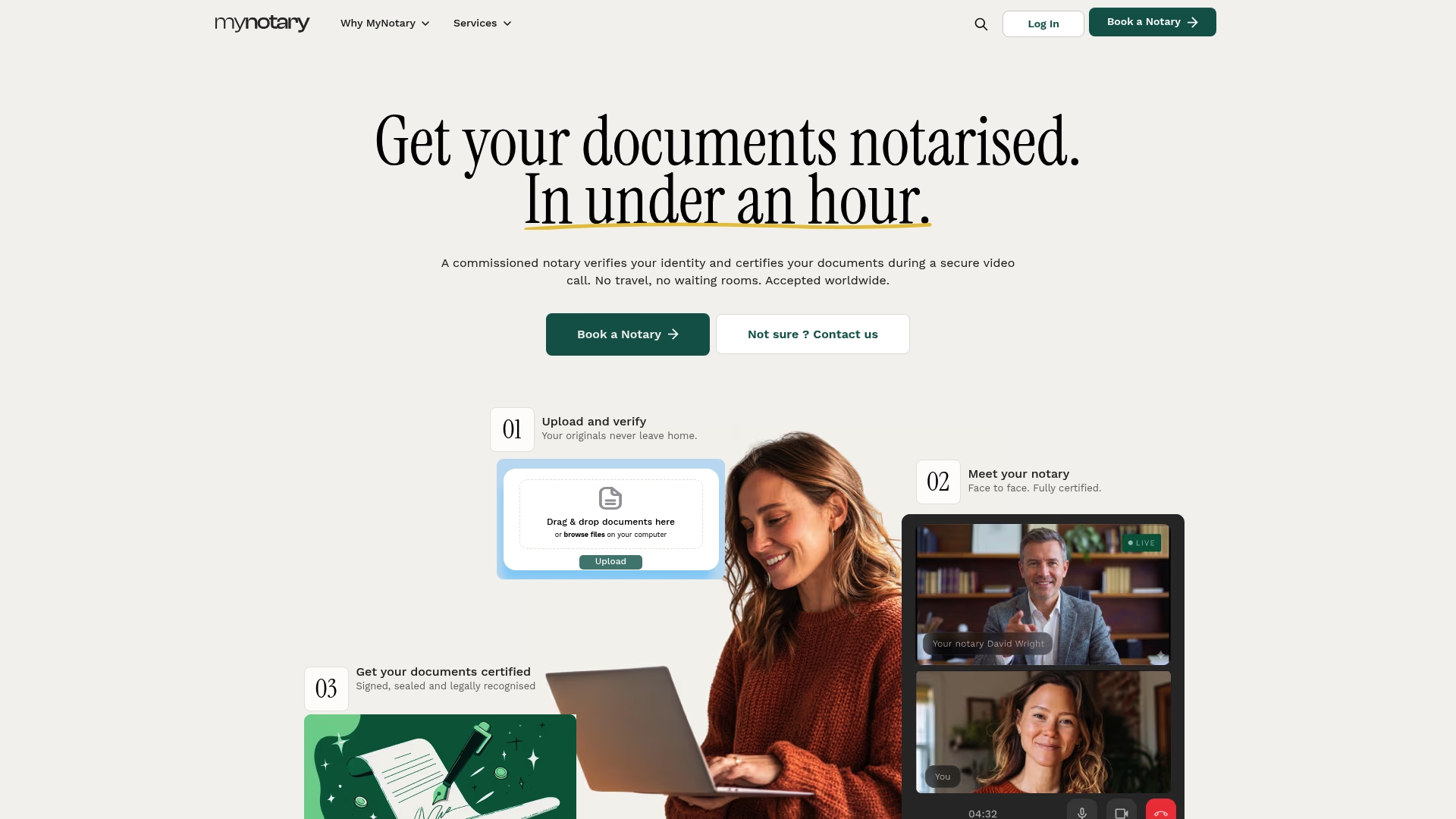
To book quickly, have your unsigned document and a valid passport ready before you start. Whether you need a signature certified online, a Power of Attorney for banking prepared, or a corporate document notarised for business use, the same video-call process applies. If your document also needs identity verification as part of a compliance check, My Notary's KYC identity verification service covers that step too. Start your booking, upload your document, and get a notarised file back the same day.
Where can you check the rules yourself?
For deeper procedural detail, the remote notarisation guidance sets out identity checks and record-keeping in full. For document preparation, a checklist of commonly notarised documents and this guide to legal status documentation are useful starting points.
This article is general information, not a substitute for advice from a qualified lawyer. Consult a qualified legal professional about your own circumstances before acting on anything here.
Sources
- Electronic documents and electronic notarial acts - The Faculty Office
- Gov
- Using electronic notarization to notarize documents - Adobe
FAQ
Can I get a digital notary in the UK?
Yes. Commissioned notaries can carry out notarial acts remotely by video call, applying a Qualified Electronic Signature and an electronic facsimile seal rather than a wet-ink signature.
Are e-signature tools like DocuSign legal in the UK?
Standard electronic signature tools are legally recognised for many everyday contracts, but they are not the same as a notarial act. A notary applies a Qualified Electronic Signature and seal, which carries more verification than a basic click-to-sign tool.
What are the legal requirements for electronic signatures?
Requirements vary by use case, but for a notarial act, the recommended standard is a Qualified Electronic Signature combined with an electronic facsimile of the notary's seal and a tamper-evident certificate.
How can I get a notarised electronic signature?
Book a session with a provider offering online notarisation, such as My Notary, upload your unsigned document and ID beforehand, then complete a video call where the notary verifies your identity and applies the signature and seal.
Do I still need an apostille if my document is notarised electronically?
Sometimes. If the document is travelling abroad, check with the receiving country whether they accept an e-Apostille or require a different form of legalisation before you rely on the electronic version.
Recommended
Got questions? We’re on it.
Most questions are answered here, drawn from what people actually ask before booking. If yours isn’t, our team is in chat.
Yes. Commissioned notaries can carry out notarial acts remotely by video call, applying a Qualified Electronic Signature and an electronic facsimile seal rather than a wet-ink signature.
Last updated: