Get a Court Ready Affidavit Notarized Online in the UK in One Hour
By Jeremy Arhab, Founder · Published 8 September 2026 · Updated 8 September 2026
UK guide to notarizing affidavits by video: identity and biometric checks, recorded audit trail, same day PDF delivery, and apostille steps for...

Most affidavits can be notarised remotely by video call, provided the receiving authority accepts electronic jurats and no statute demands physical presence. The main caveat is jurisdictional: some courts, foreign registries and specific oath types still insist on an in-person appearance. Before booking, prepare your unsigned document and confirm with the receiving authority that a remotely notarised affidavit will be accepted.
***
TL;DR: - Remote notarisation is widely accepted for affidavits supporting visas, immigration, employment, and business declarations, but some property or court documents still require in-person signing. - The process involves preparing the unsigned document, verifying identity with a passport, joining a live video session for oath administration, signature witnessing, and jurat application, with all steps recorded. - Acceptance of online notarisation depends on the receiving authority, with courts and foreign registries often requiring confirmation beforehand and sometimes insisting on physical witnessing. - Turnaround times are typically same-day or within hours for digital affidavits, but adding physical copies, legalisation, or apostille services extends processing by days or weeks. - Always verify if electronic notarisation is accepted for your specific purpose, especially for foreign or contested documents, before booking the service.
***
Table of Contents
- Which affidavits can be notarised online?
- How does online affidavit notarisation work, step by step?
- When is remote notarisation accepted, and where are the limits?
- What should you prepare before your session?
- What does it cost, and how long does it take?
- Do you need an apostille for an affidavit used abroad?
- How MyNotary handles affidavit notarisation
- When we recommend remote notarisation, and when in-person is safer
- Ready to get your affidavit notarised online?
- Sources
- FAQ
Which affidavits can be notarised online?
Most administrative and business affidavits are routinely handled through remote video notarisation. A commissioned notary can verify identity, witness the oath, and complete the jurat on screen for a wide range of everyday documents.
Typical affidavits and related instruments notarised remotely include:
- Affidavits of single status or marital status for visa applications
- Affidavits supporting immigration, education, or employment paperwork
- Business declarations, corporate affidavits, and compliance statements
- Affidavits of identity or name change for administrative use
- Powers of attorney requiring notarial certification alongside a sworn statement
Some categories still tend to need physical presence. Deeds and certain property instruments often require witnessing controls that go beyond a standard video session, and HM Land Registry's practice guide 82 sets conditions, such as a conveyancer's certificate and platform-managed signing, before it will accept an electronic signature on certain filings. Court affidavits governed by specific procedural rules can also carry extra formatting or filing requirements.
It helps to understand the difference between an affidavit and a statutory declaration, since the two are often confused. An affidavit is sworn on oath or affirmation and ends with a jurat, recording when, where and by whom it was sworn. A statutory declaration is a formal statement made without an oath, used for different administrative purposes. If you're unsure which one your situation calls for, our guide to statutory declarations online breaks down when each applies.
How does online affidavit notarisation work, step by step?
The process follows a consistent sequence, whether the document is a single status affidavit or a business declaration.
- Prepare the affidavit unsigned. Draft the statement and gather any supporting exhibits, but don't sign it before the video session. The notary needs to witness the signature happen live.
- Complete identity verification. You'll upload a passport for biometric checks, which confirm the document is genuine and matches the person appearing on camera.
- Join the live video session. The notary confirms your identity again on screen, administers the oath or affirmation, and watches you sign the affidavit in real time.
- The notary completes the jurat and applies the seal. This records the date, location and manner of swearing, exactly as a paper-based jurat would.
- Receive your document. You get a tamper-evident PDF, usually within the hour, with optional certified physical copies sent by courier if you need a wet-ink version too.
The video session itself is recorded, and the platform maintains a time-stamped audit trail covering identity checks, authentication steps and the signing sequence. That record is what makes a remote jurat defensible later if anyone questions how the affidavit was sworn. The Electronic Communications Act 2000 makes electronic signatures admissible in evidence under section 7(1), and a solid audit trail is what gives that admission real weight.
Pro Tip: Keep the exhibits referenced in your affidavit in the same file order you describe them in the text. Notaries process faster when the document and its attachments match exactly, and mismatches are one of the most common causes of a delayed session.
Retain your own copy of the signed PDF once you've received it. If a receiving authority later insists on a wet-ink original, some notaries will repeat the notarisation once they have the physical document in hand, within a set period, so check that policy before you need it.
When is remote notarisation accepted, and where are the limits?
Acceptance depends heavily on where the affidavit is going, not just where it's sworn. Faculty Office guidance confirms that notarial acts using remote technologies are permitted, provided the notary follows secure identity checks and keeps a recorded video of the session. The same guidance is explicit that some oaths, affidavits or witnessing requirements may still demand physical presence, and that a notary should confirm acceptance with the receiving jurisdiction before proceeding.
Courts, in particular, can be stricter than commercial registries. An affidavit destined for litigation may need to meet formatting rules under the Civil Procedure Rules, and some overseas authorities simply will not recognise a video-witnessed jurat regardless of how it was produced. The Law Society's own guidance notes that physical witnessing may still be required in many cases, with video observation permitted only in exceptional circumstances where overseas law allows it. Recent practitioner analysis reinforces this: fully remote notarisation can be legally problematic for instruments where an oath in person is mandated, and the advice is consistently to verify before booking rather than after.
Best practice on the notary's side includes three things that matter for you as the client: a time-stamped audit trail, a recorded video session, and documented identity evidence. These are the features that give a remote jurat its evidential weight if it's ever challenged. If your affidavit is going somewhere unfamiliar, the sensible move is a quick call or email to the receiving authority, court clerk, or your lawyer, asking one plain question: will you accept a notarial certificate produced by video, or does this need an in-person appearance?
What should you prepare before your session?
A little preparation avoids most delays. Have these ready before you log in:
- The unsigned affidavit, in its final form, plus any exhibits referenced in the text
- A valid passport for identity verification, since biometric passport checks are the standard format accepted
- Details of any additional signatories, if the affidavit needs more than one deponent
- A device with a working camera and microphone, a stable internet connection, and a quiet, well-lit space
Witness requirements are handled within the video session itself. The notary acts as the witness to your signature, watching you sign live rather than relying on a separately arranged third party, which is one of the practical advantages of the format.
Pro Tip: Test your camera and microphone a few minutes before your scheduled session rather than the moment it starts. Connection or audio issues are the most common reason a video notarisation runs long, and a two-minute check avoids nearly all of them.
If your affidavit needs to be recognised abroad, gather any translation requirements at this stage too, since a certified translation is often easier to arrange alongside notarisation than afterwards.
What does it cost, and how long does it take?
Turnaround for a straightforward affidavit notarised by video is typically fast, often same day and sometimes within the hour once identity checks clear. Courier delivery of a certified physical copy adds a day or two, and an apostille or further legalisation step adds more time again, since that depends on the issuing authority's own processing.
Cost depends on a few variables: the number of signatories, whether you need certified physical copies couriered out, and whether an apostille or additional certified translation is required. A single-signatory affidavit with digital delivery only sits at the simpler end; add extra signers, printed copies, or legalisation, and the price and timeline both increase proportionally.
The service delivers notarised documents quickly after the video session ends, benefiting from automated identity checks and digital delivery that reduce waiting times compared to paper-based notarisation.
Do you need an apostille for an affidavit used abroad?
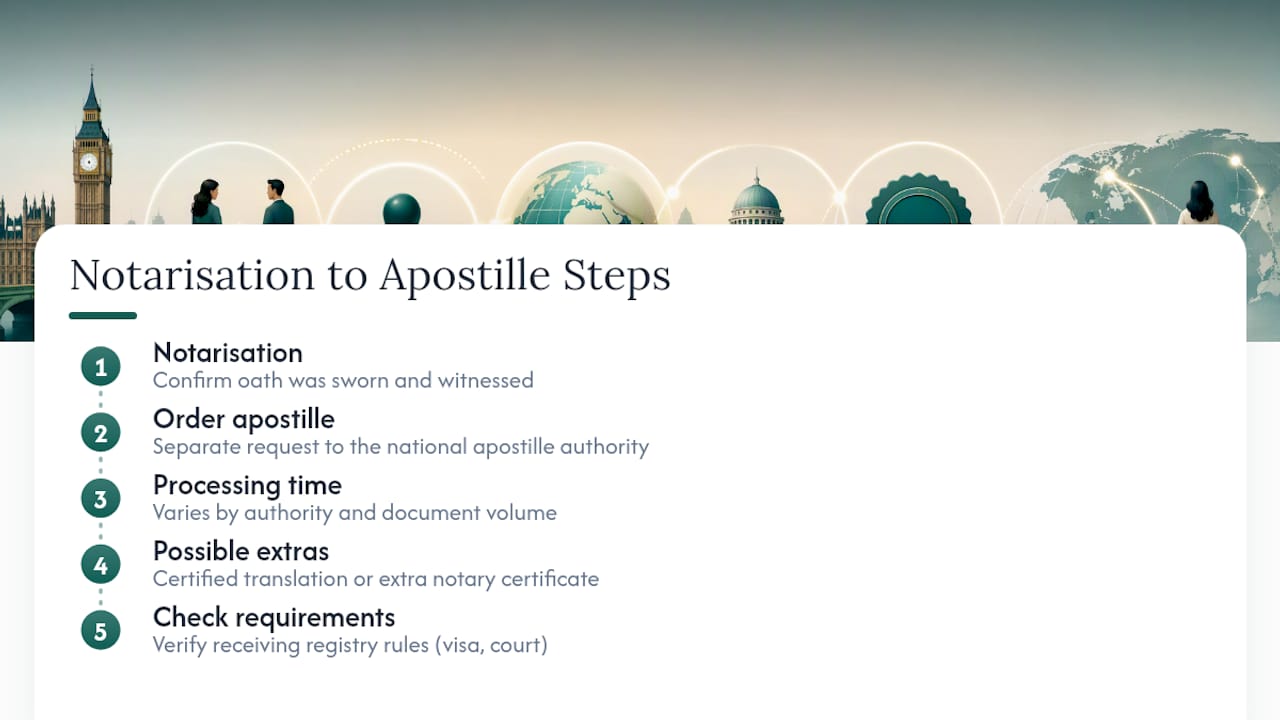
Notarisation and legalisation are two separate steps, and confusing them causes most of the delay people run into with international affidavits. Notarisation confirms the oath was properly sworn and witnessed. An apostille, under the Hague Convention, is a further certificate confirming that the notary's signature and seal are genuine, so a foreign authority can rely on the document without additional verification.
Once your affidavit is notarised, ordering an apostille is a separate request, usually made through the relevant national apostille authority for the country where the document was notarised. Processing time varies by authority and by document volume, so build that into your timeline if the affidavit has a deadline attached, such as a visa appointment or a court filing date abroad.
Some foreign registries also want a certified translation attached, or expect the notary to issue an additional certificate confirming the electronic signing process used. This is more common with countries whose legal systems have limited experience with electronic notarisation. If your affidavit is heading somewhere with unfamiliar registry requirements, our guide on electronic signature validity covers how certified signatures interact with different receiving systems. For affidavits tied to cross-border financial or immigration matters, resources like this comparison of international declaration requirements can help you understand parallel documentation your receiving authority might also expect.
How MyNotary handles affidavit notarisation
MyNotary's process follows the same structure described throughout this guide: you upload your unsigned affidavit, complete identity verification using passport and biometric checks, then join a live video session where a commissioned notary administers the oath, witnesses your signature, and applies the jurat and seal. The session is recorded, and every step, from identity verification to signing, is logged in a time-stamped audit trail. Delivery is a tamper-evident PDF, with an average turnaround of around one hour, and certified physical copies available where you need a wet-ink version couriered out.
Electronic signatures produced this way are recognised across a broad range of jurisdictions internationally, which matters if your affidavit is destined for use outside the country where it's sworn.
Whichever provider you use, ask three questions before booking: is the video session recorded and retained, how are additional signatories or witnesses handled, and does the provider support apostille or certified translation add-ons if your document needs to travel abroad.
When we recommend remote notarisation, and when in-person is safer
Remote notarisation makes sense for the bulk of affidavits people need day to day: visa declarations, business affidavits, identity statements, and most administrative sworn documents where the receiving authority works with electronic jurats. The audit trail and recorded session give these documents real evidential standing, not a weaker substitute for paper.
In-person notarisation remains the safer route when a statute explicitly demands a physical oath, when a foreign registry has no track record of accepting electronic certificates, or when the affidavit forms part of contested litigation with strict procedural rules. In those cases, guessing wrong costs more time than booking in person would have.
If you're not certain which category your situation falls into, that's the moment to ask a lawyer, not the receiving authority's front desk. A five-minute conversation beats finding out after the fact that your affidavit needs to be sworn again.
— Jérémy
Ready to get your affidavit notarised online?
The affidavit notarisation process follows this guide: video session, passport and biometric identity checks, a live oath, and a jurat and seal applied to the unsigned document, all recorded with a full audit trail. Same-day delivery is standard for most single-signatory affidavits, with certified physical copies available by courier when a receiving authority wants a wet-ink version.
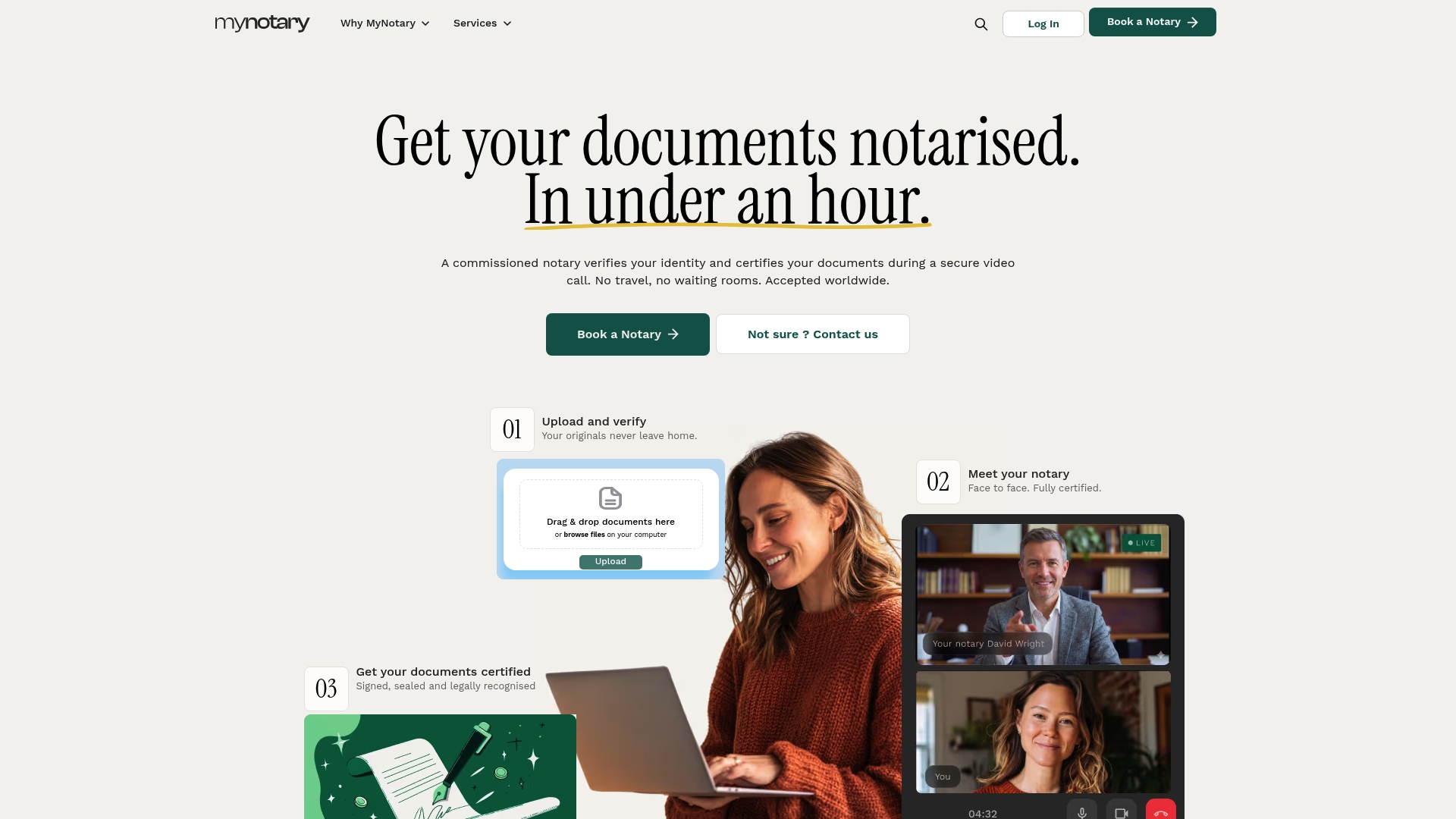
Before you book, it's worth doing the one thing this whole guide points towards: check with the receiving authority, court, or foreign registry that a remotely notarised affidavit will be accepted for your specific purpose. Once you've confirmed that, the fastest way to get moving is to start your affidavit notarisation online and upload your unsigned document. If your situation also involves a power of attorney, degree certification for a visa, or a corporate document, the platform covers those through dedicated services too, and can advise on apostille or certified copy add-ons where your document needs to travel internationally.
Sources
- Guidance on remote notarisation (Faculty Office)
- Practice guide 82: electronic signatures accepted by HM Land Registry
- PRACTICE DIRECTION 32 – EVIDENCE – Civil Procedure Rules – Justice UK
- Electronic Communications Act 2000, section 7
- Q&A on how to use electronic signatures and complete virtual executions (The Law Society)
FAQ
Can I notarise a document online?
Yes, remote video notarisation is commonly used for affidavits and many other documents, provided the receiving authority accepts an electronically produced jurat and no statute requires physical presence.
How do I get an affidavit notarised remotely?
Upload your unsigned affidavit, complete passport and biometric identity verification, then join a live video session where a commissioned notary administers the oath and witnesses your signature before applying the jurat and seal.
How much does notarising an affidavit typically cost?
Cost depends on the number of signatories and any add-ons such as certified physical copies, certified translation, or an apostille; a single-signatory digital-only affidavit sits at the simpler, lower end of that range.
Can I write my own affidavit?
Yes, you can draft your own affidavit, but it must be left unsigned until the notarised session, since the notary needs to witness the signature happen live before completing the jurat.
What's the difference between an affidavit and a statutory declaration?
An affidavit is sworn on oath or affirmation and ends with a jurat, while a statutory declaration is a formal statement made without an oath, used for different administrative purposes.
Recommended
Got questions? We’re on it.
Most questions are answered here, drawn from what people actually ask before booking. If yours isn’t, our team is in chat.
Yes, remote video notarisation is commonly used for affidavits and many other documents, provided the receiving authority accepts an electronically produced jurat and no statute requires physical presence.
Last updated: